Layer Identification Order
2 min
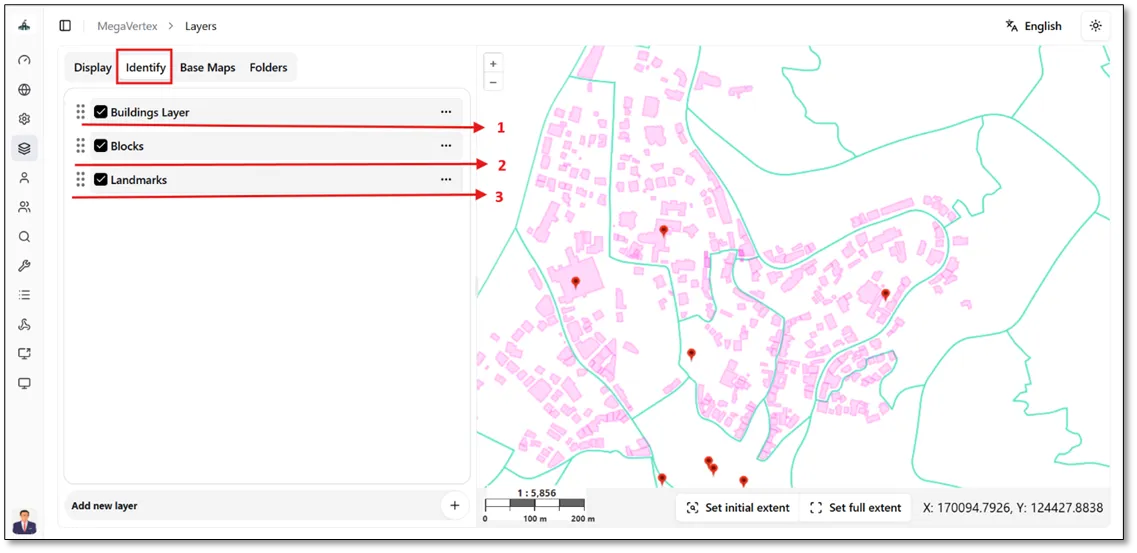
To change the display order of identified layer information on the map, navigate to the Identify section on the Layers page. Then, rearrange the layers into the desired order using drag and drop, as shown in the figure below.
Identification Order on the Map
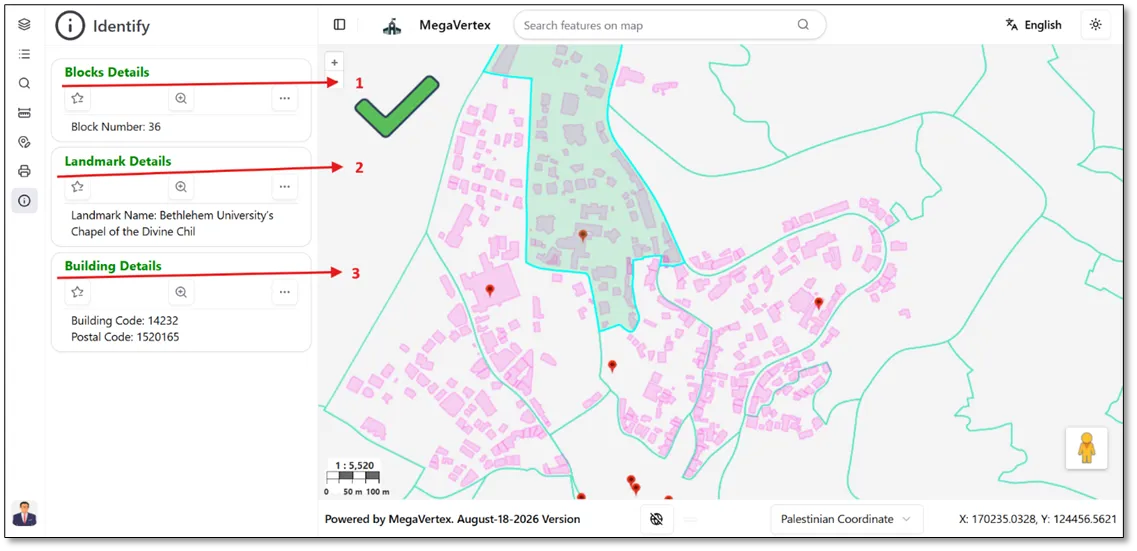
The figure below shows how the identified layer information is displayed on the map according to the configured order in the Identify section.
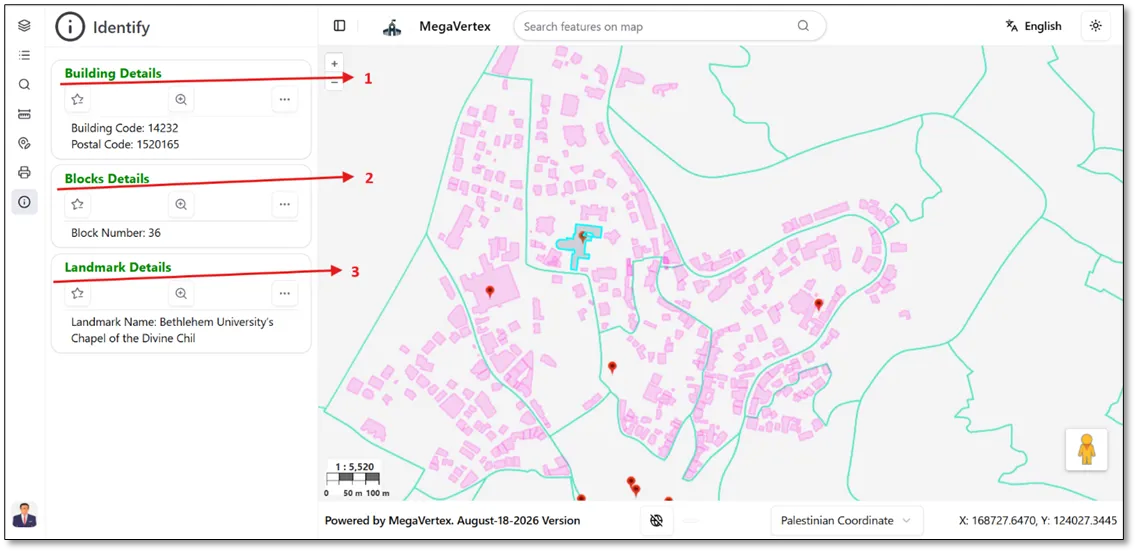
Any changes made to the layer order in the Identify section of the Layers page will be automatically reflected in the order of the information displayed on the map, as shown in the figure below.
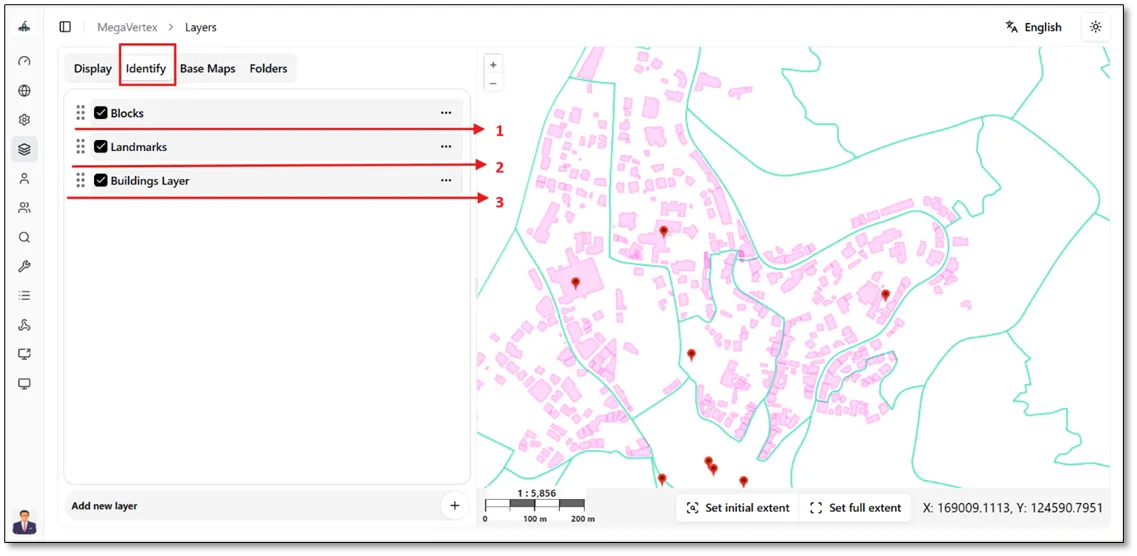
The map displays the updated order of the identified layers after the changes have been applied, as shown in the figure below.