Change the highlighting color of the selected feature
1 min
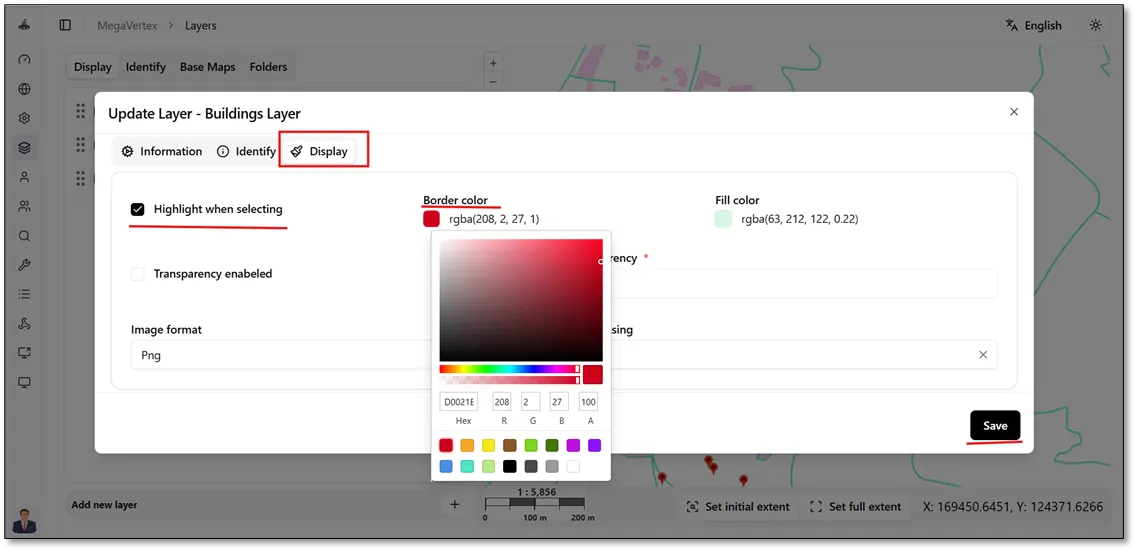
To change the highlight color of a selected feature on the map, you need to modify the layer’s display settings. Click the Actions button  , select Update
 , and then navigate to the Display tab. From there, choose your desired highlight color, as illustrated in the figure below.
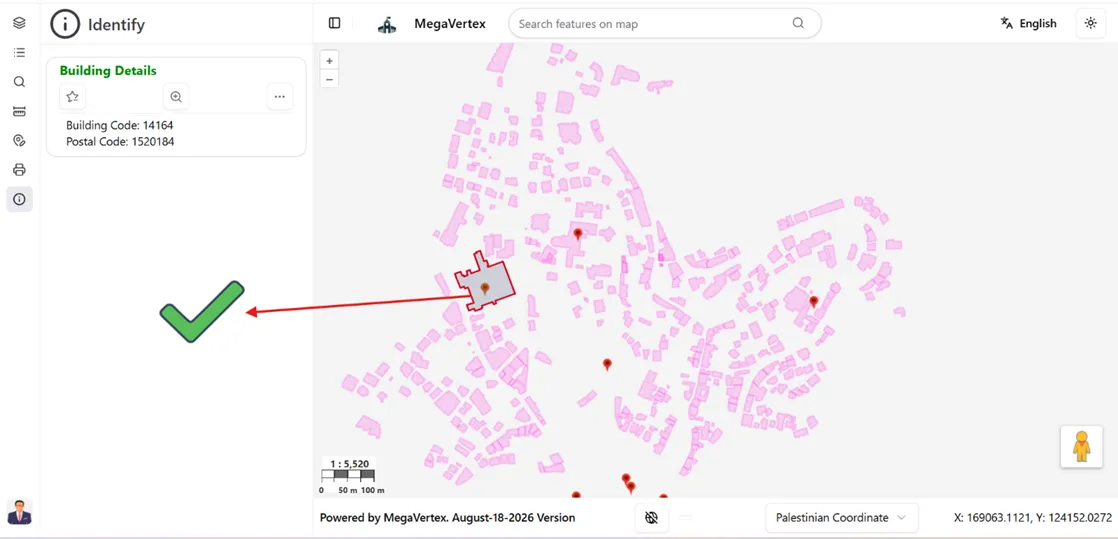
When you identify a feature in the layer, the selected feature will be highlighted on the map using the color configured in the display settings, as shown in the figure below.