Enable image
1 min
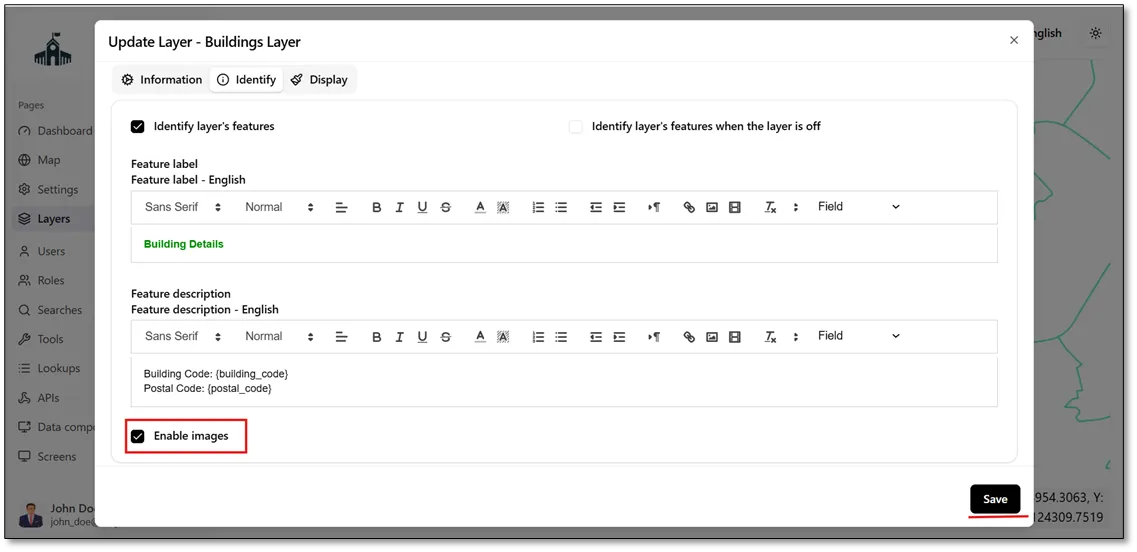
To enable images for specific features, navigate to the Identify tab and check the Enable Images checkbox  . This allows images to be displayed in the identification panel for the corresponding features, as shown in the figure below.
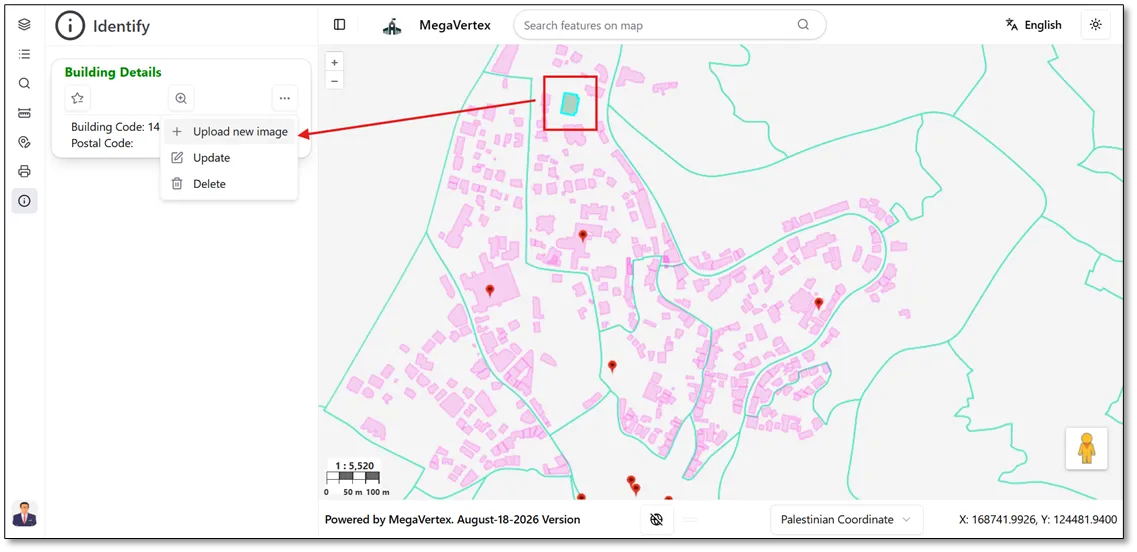
Navigate to the Map page and identify the desired feature. In the Identify panel, click the Actions button  for the selected feature and choose Upload New Image to add an image to that feature, as shown in the figure below.
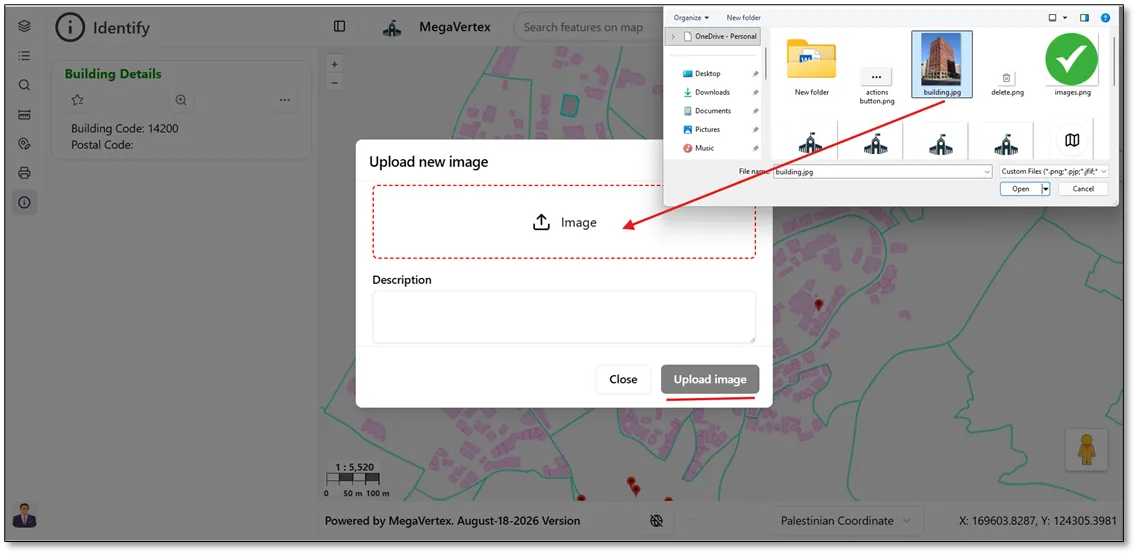
Select the desired image from your device and upload it to the selected feature, as shown in the figure below.
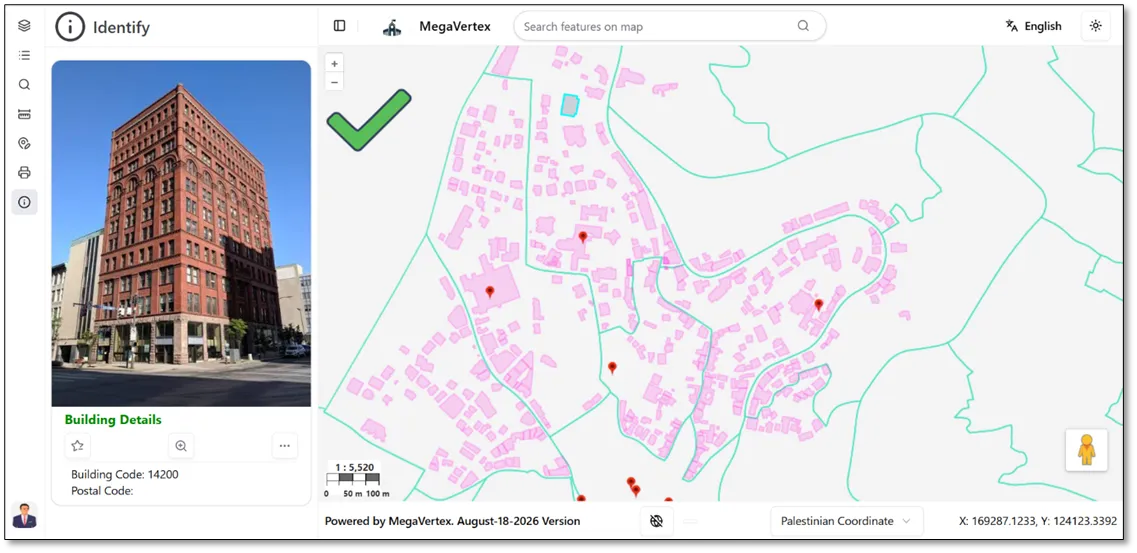
The result shows that the uploaded image appears in the Identify panel for the selected building, as shown in the figure below.