Create Role
1 min
A Role is an entity that groups users who share the same permissions. To create a new role, navigate to the Roles page and click Create New Role.
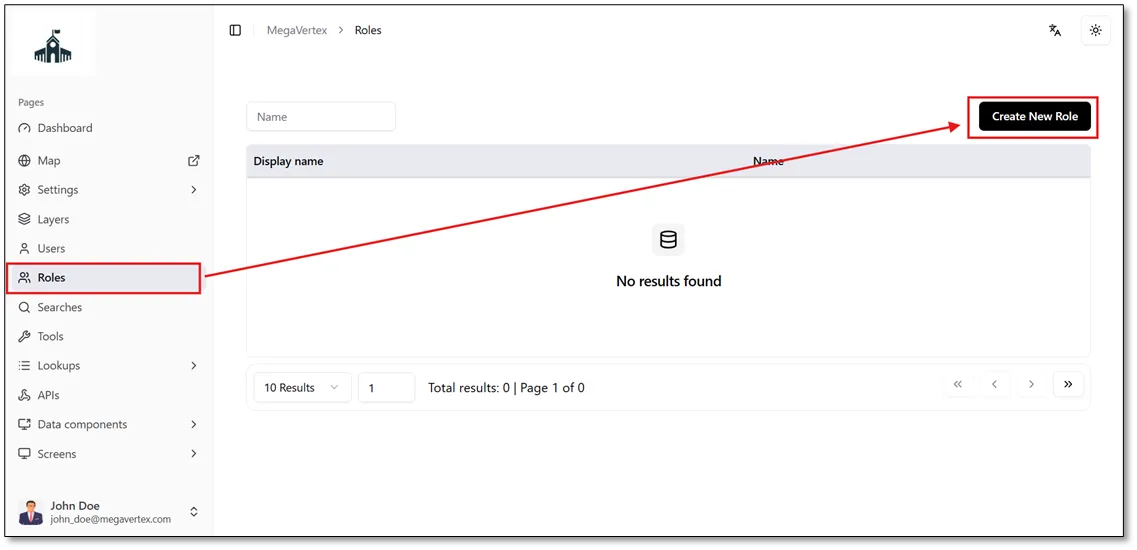
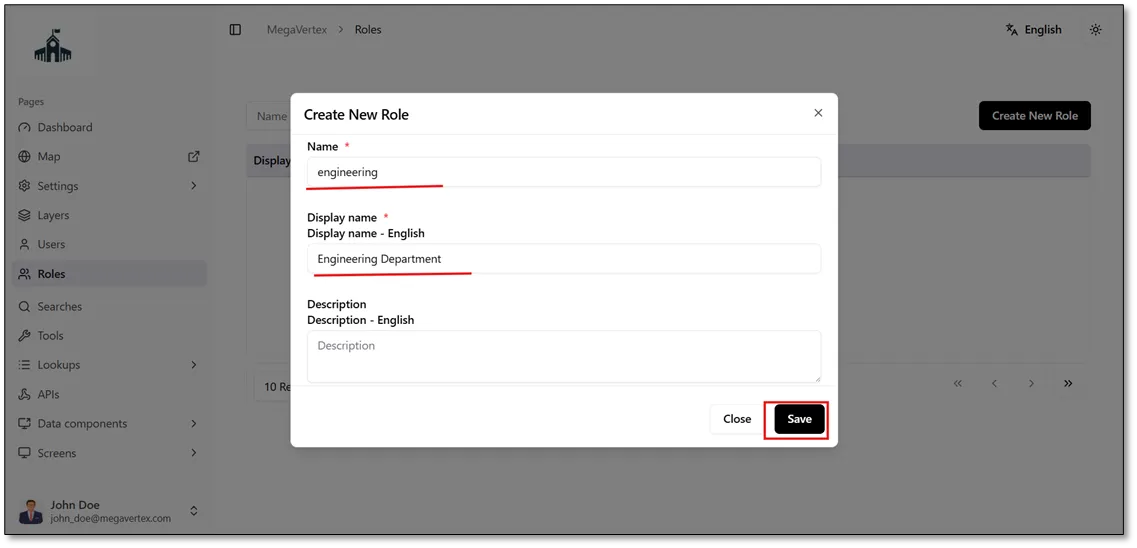
After clicking Create New Role on the Roles page, the Create New Role form will open. Enter the role name using lowercase letters, without spaces or hyphens (-). Then, enter the display name, which can include spaces, hyphens, and other characters or symbols, as shown in the figure below.
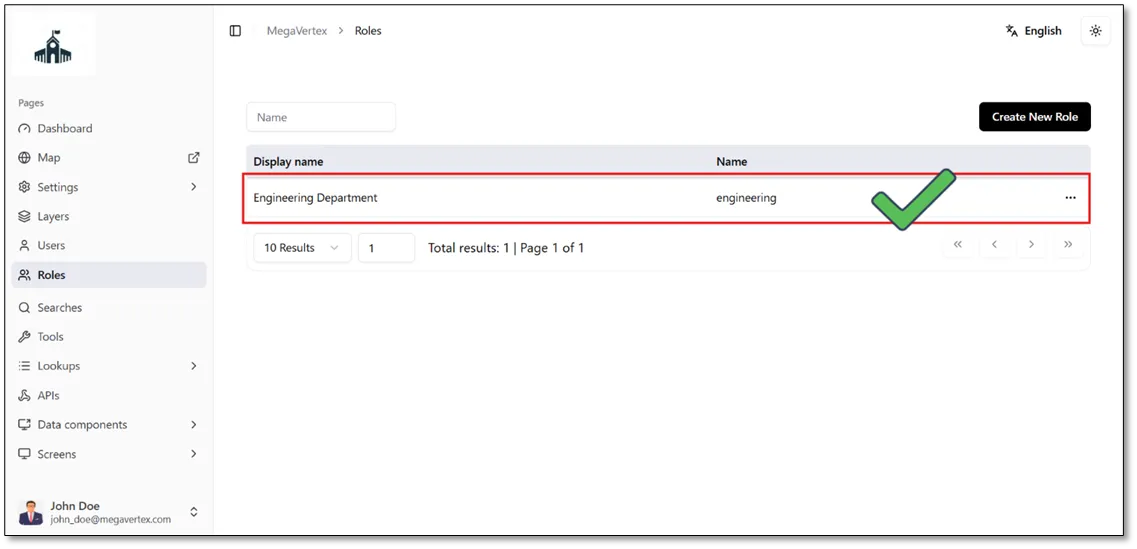
After clicking Save, the newly created Engineering Department role will appear in the list of roles on the Roles page, as shown in the figure below.