Adding User to Role
1 min
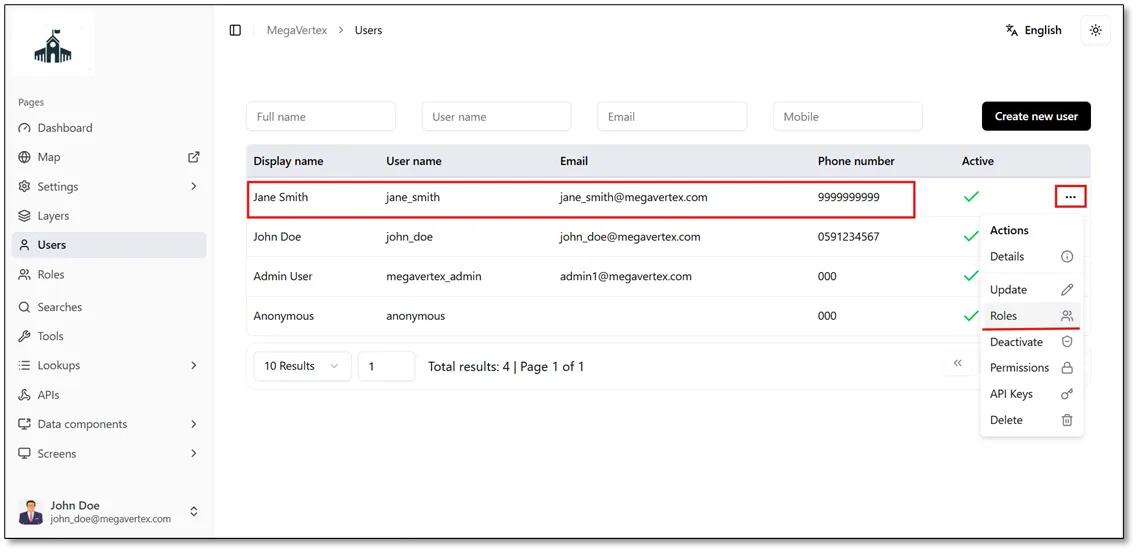
To assign Jane Smith to the Engineering Department role, follow the steps below:
On the Users page, click the Actions button  next to Jane Smith’s account, then select Roles
 , as shown in the figure below.
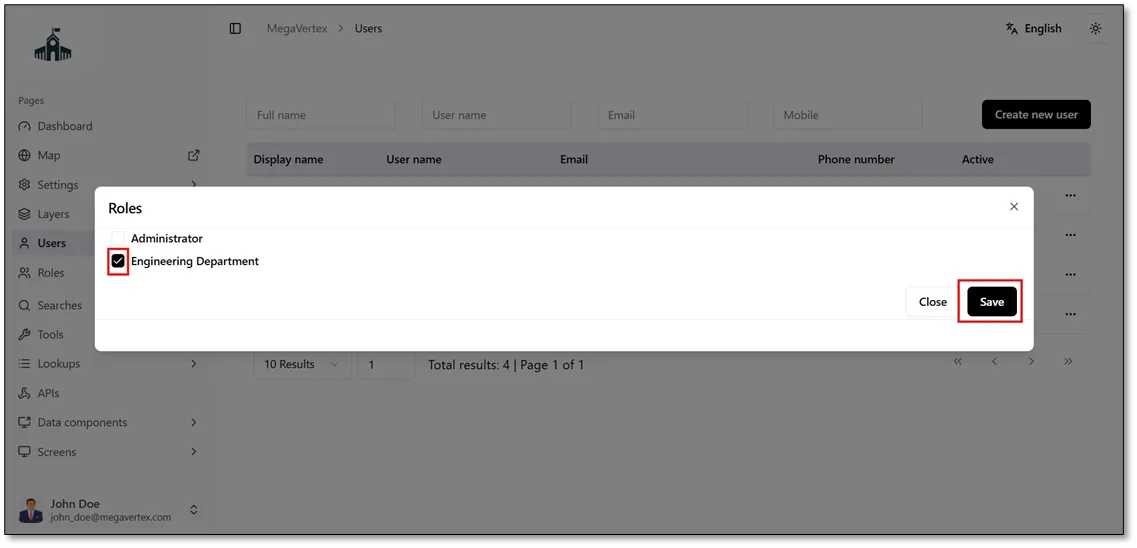
Next, select the checkbox next to the Engineering Department role  , then click Save to assign the role to Jane Smith’s account, as shown in the figure below.
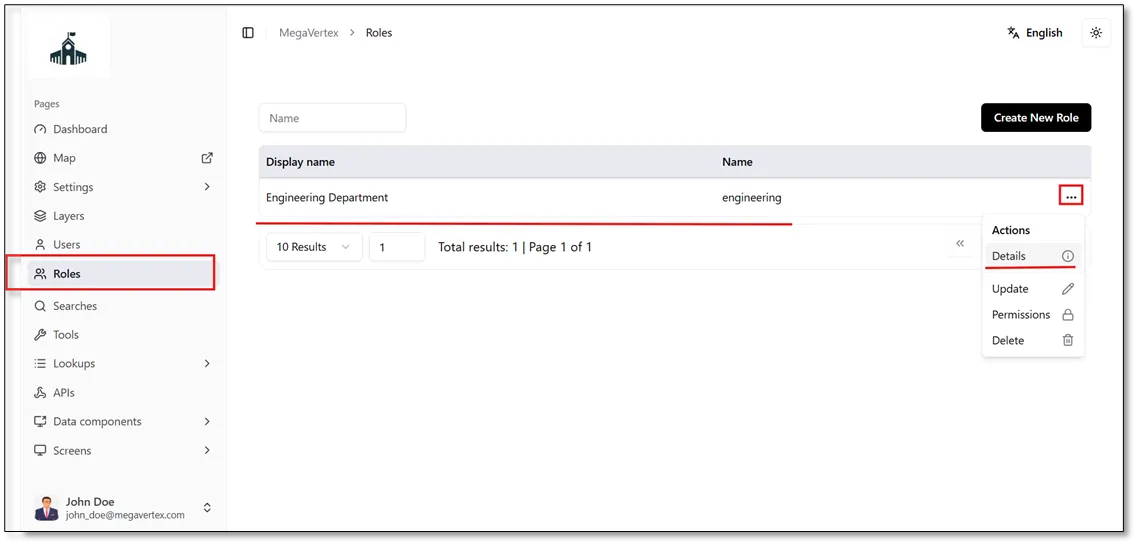
To verify that Jane Smith has been assigned to the Engineering Department role, navigate to the Roles page, click the Actions button  next to the role, and select Details
 , as shown in the figure below.
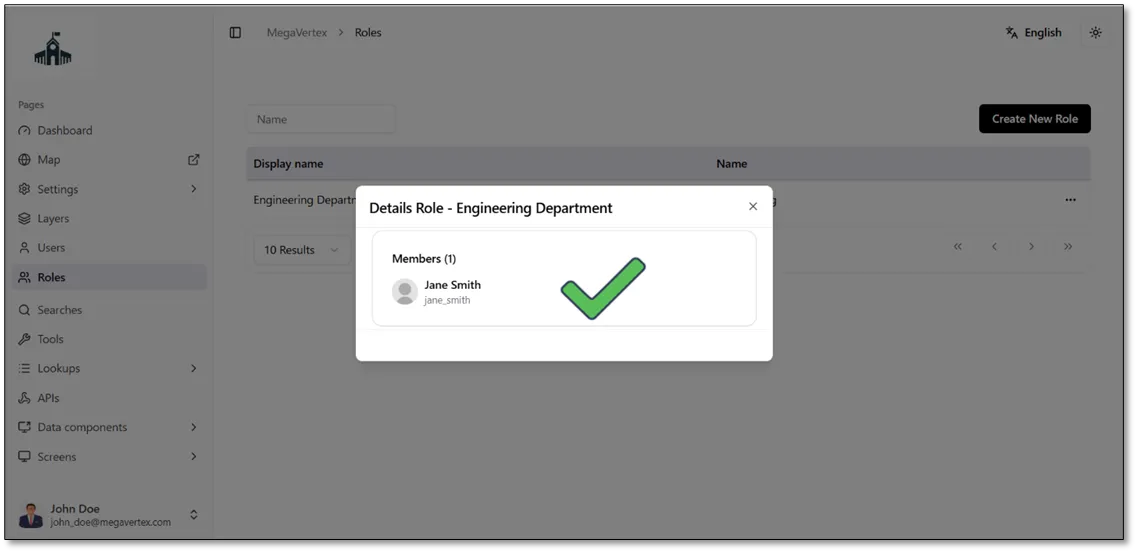
A dialog will open displaying the details of the users in this role, including Jane Smith, as shown in the figure below.