Create users
This section explains how to add new users to the application. To create a new user, navigate to the Users page and click the Create New User button.
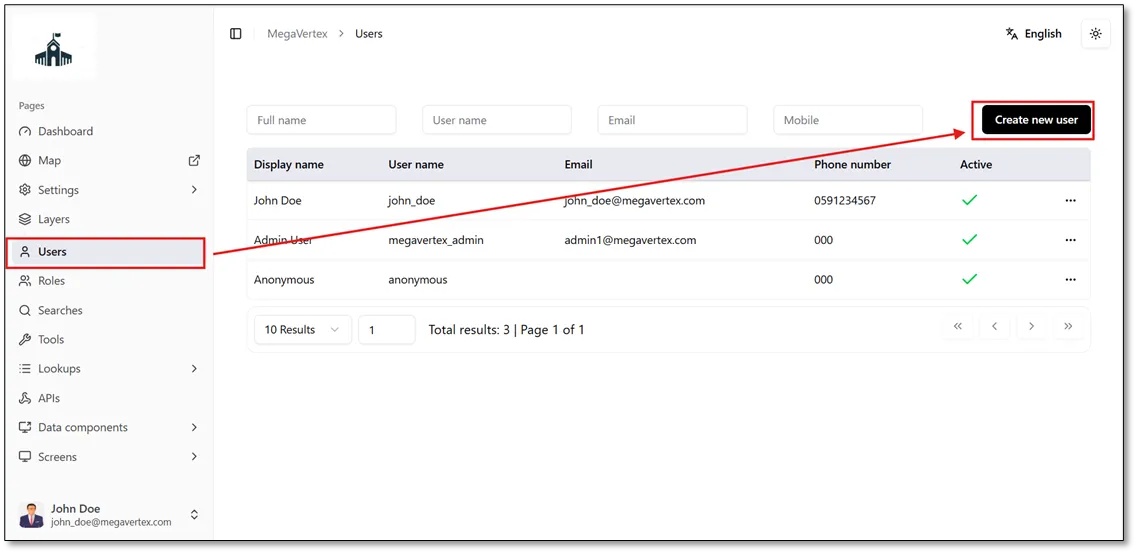
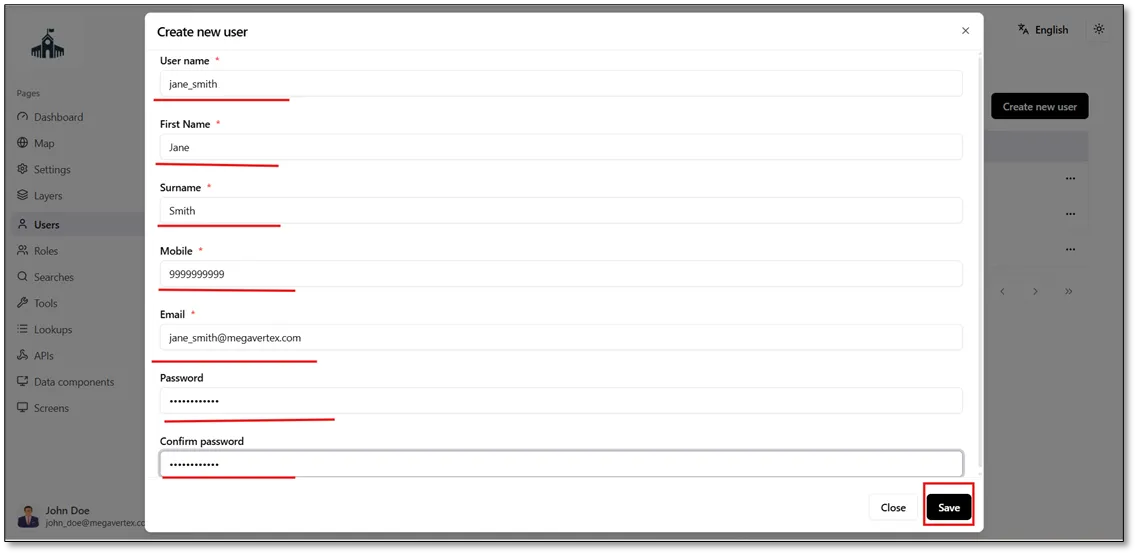
When you click Create New User, the Create New User form opens. Enter the required user information, ensuring that the username consists of lowercase letters without spaces or hyphens (-).
In this example, Jane Smith’s user account will be used to demonstrate how permissions are assigned by adding specific users to the application.
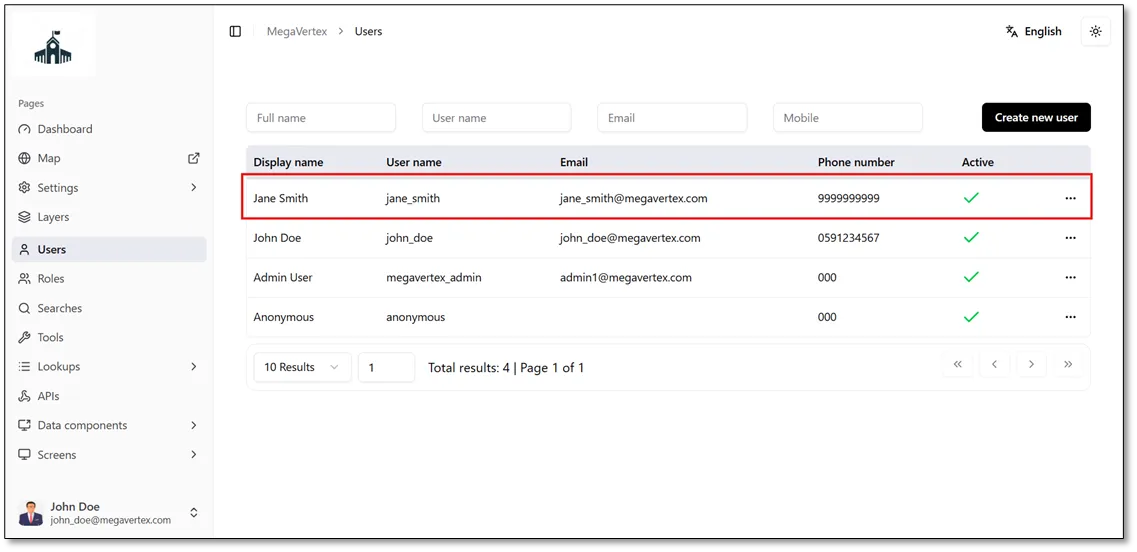
After clicking Save, the newly created user will appear in the list of users on the Users page, as shown in the figure below.
Jane Smith can access the application by logging in with the credentials specified during the creation of her user account.
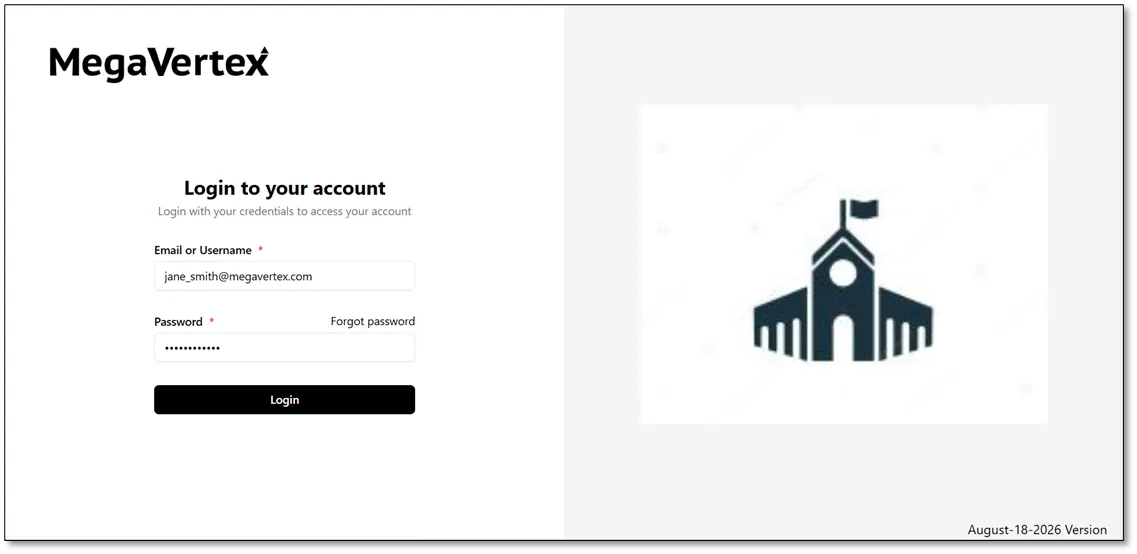
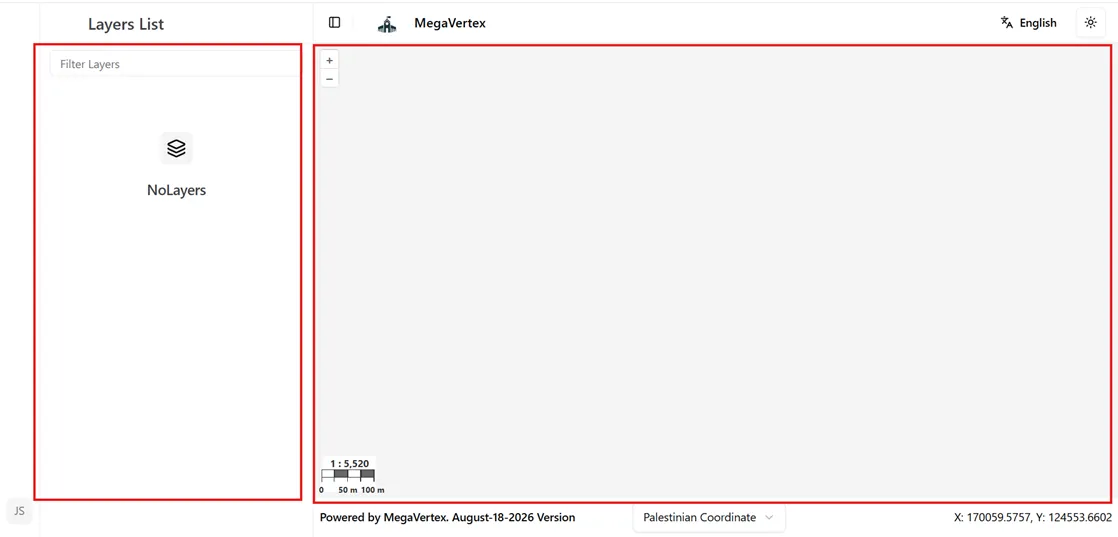
When Jane Smith logs in to the application using her account, the map will appear without any layers because she has not been granted permission to access any layers or other pages of the application, as shown in the figure below.
In the following section, permissions will be granted to Jane Smith’s account by assigning the appropriate permissions to the role associated with her account.