User Profile Page
2 min
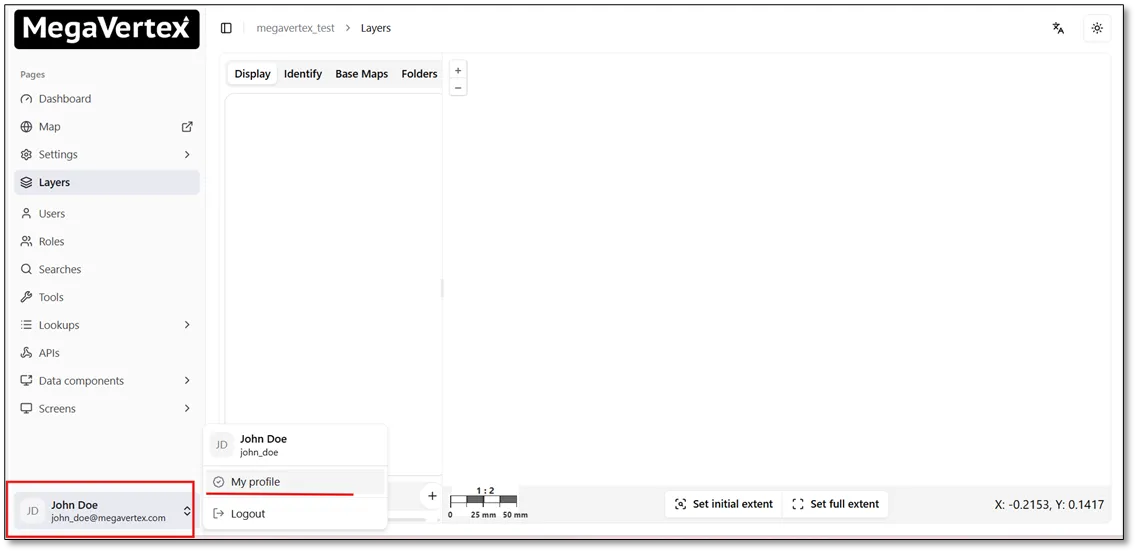
Users can access their profiles by clicking My Profile at the bottom of the page, as shown in the figure below.
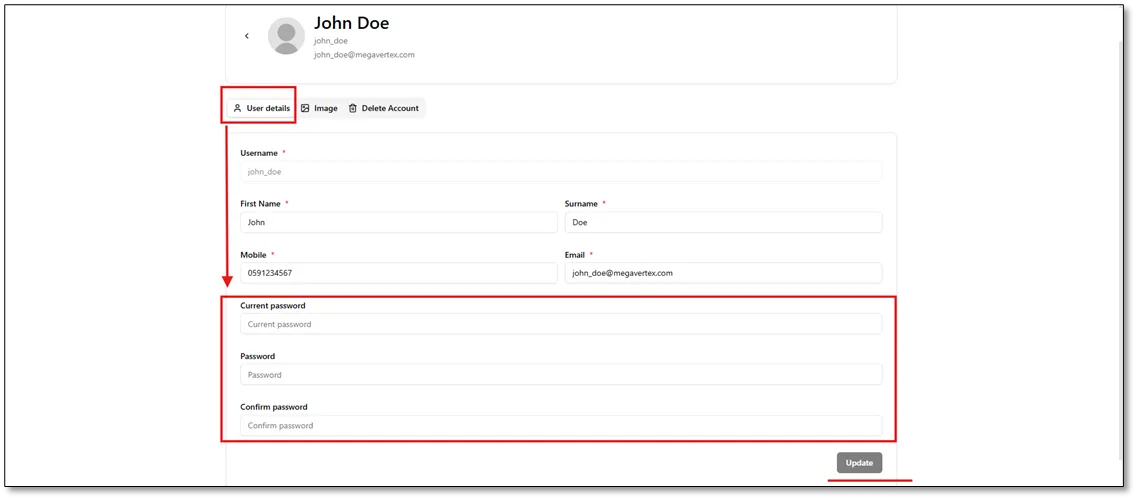
On the User Profile page, users can update their personal information and change their account password.
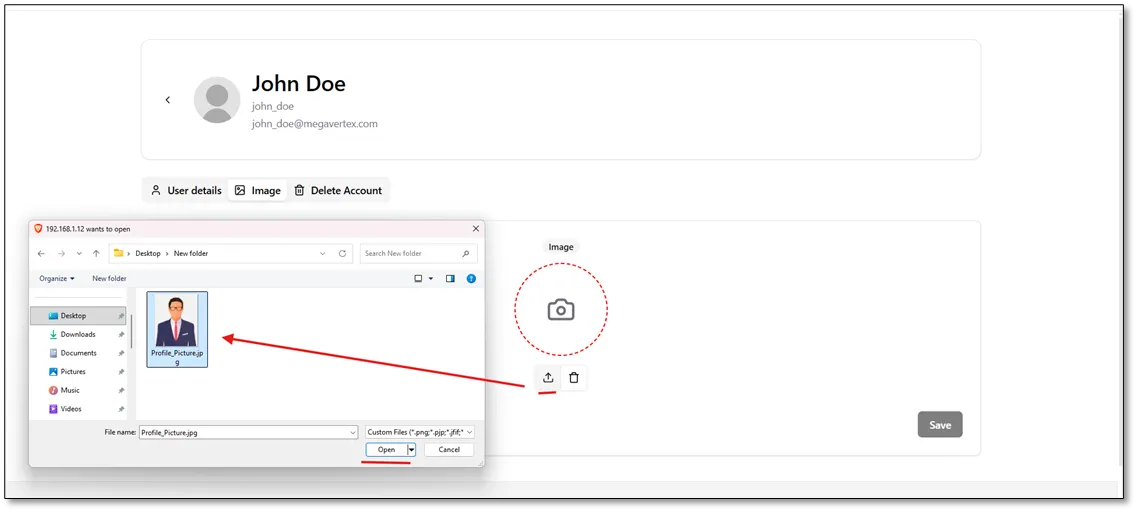
In the User Information tab, users can also upload a profile picture, as shown in the figure below.
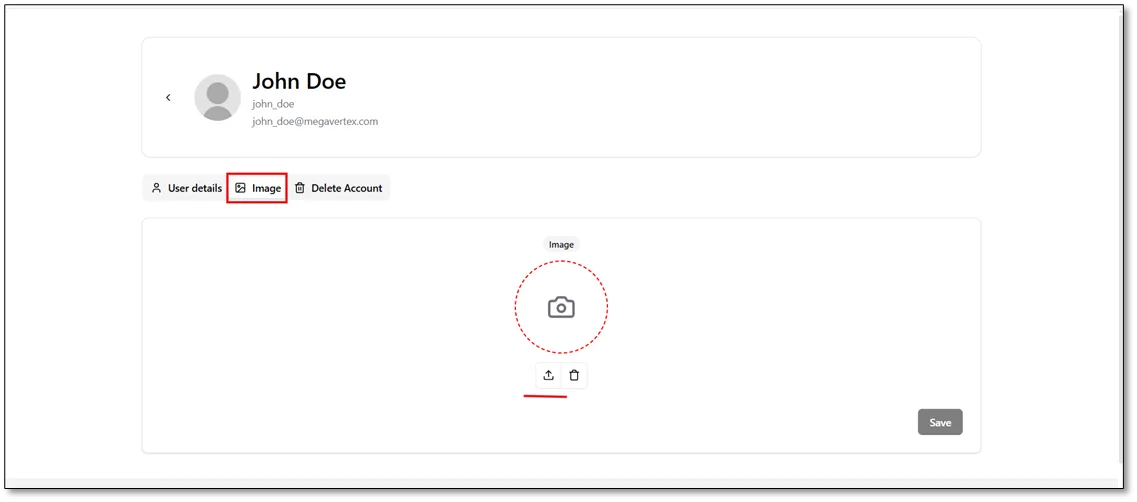
Select the desired profile picture, as shown in the figure below.
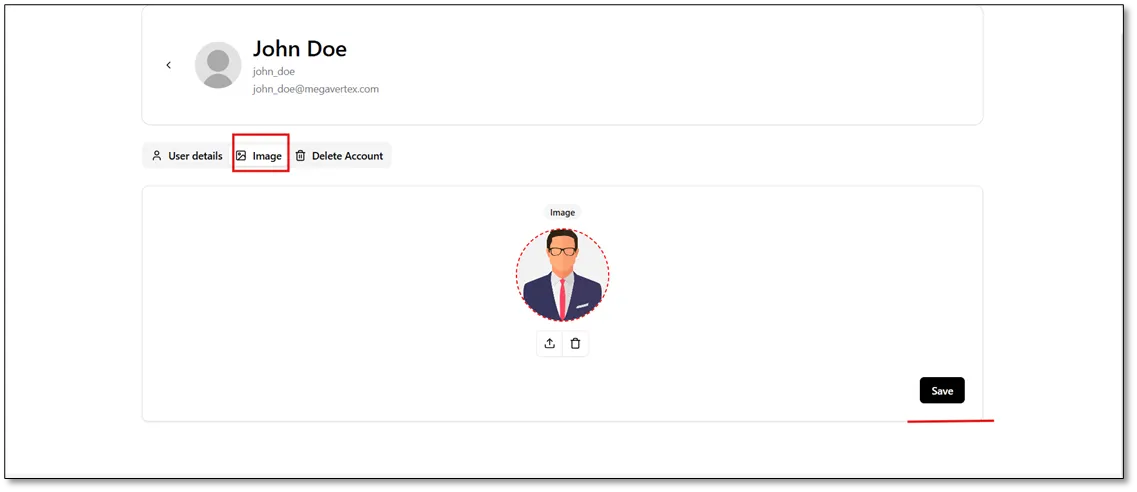
Click the Save button to save the changes.
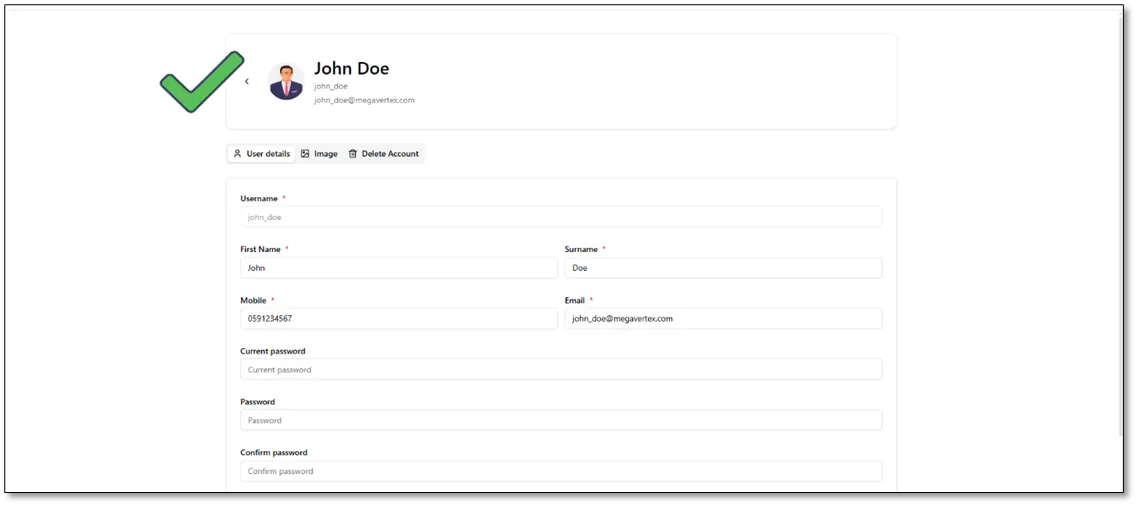
The updated profile picture is displayed in the user profile, as shown below.
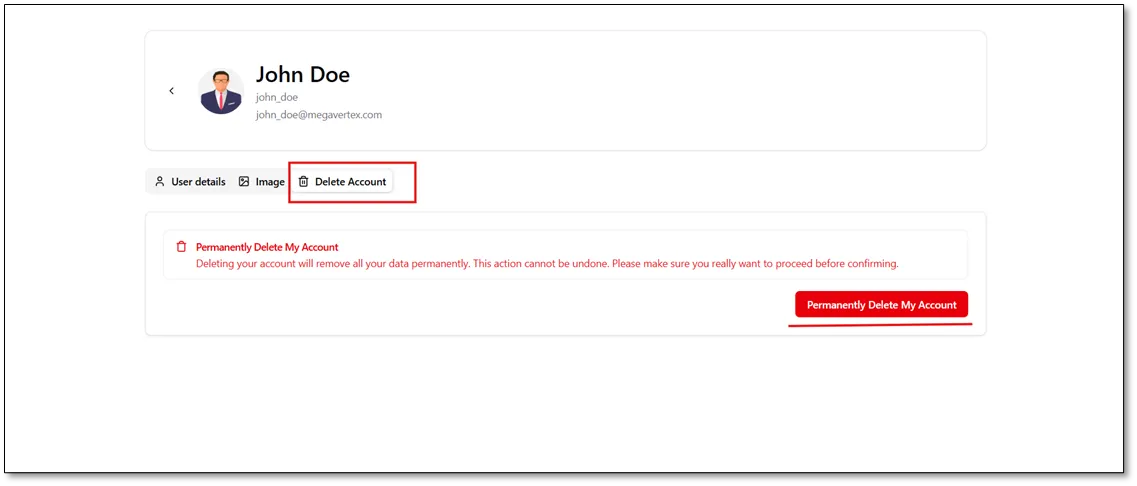
Users can also delete their accounts by clicking the Permanently Delete My Account button, as shown in the figure below.