Update Field
0 min
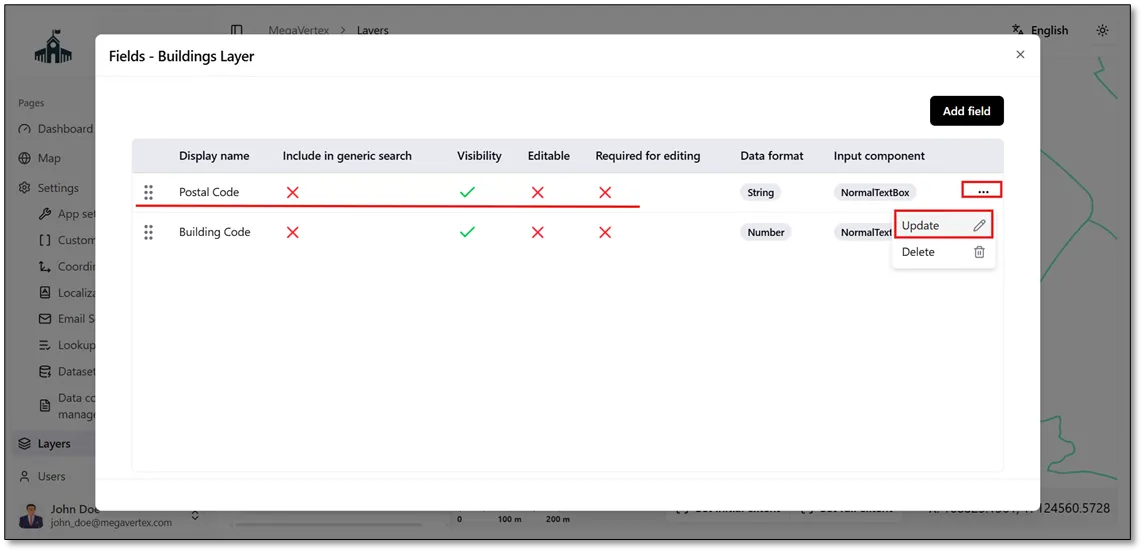
You can update an existing field by clicking the Actions icon  next to the field and selecting Update
 to modify its details as shown in the figure below.
In the Update Field section, a new window will open, allowing you to modify the field's display name and field name. Please note that the data format cannot be changed after the data has been imported into the layer.
You can also configure the following field properties:
- Visible: Controls whether the field is displayed.
- Editable: Determines whether the field can be edited.
- Required for Editing: Specifies whether the field is mandatory when editing.
- Include in Generic Search: Determines whether the field is included in the generic search functionality.
Each of these options will be explained in detail in the following sections.