Rename Layer
1 min
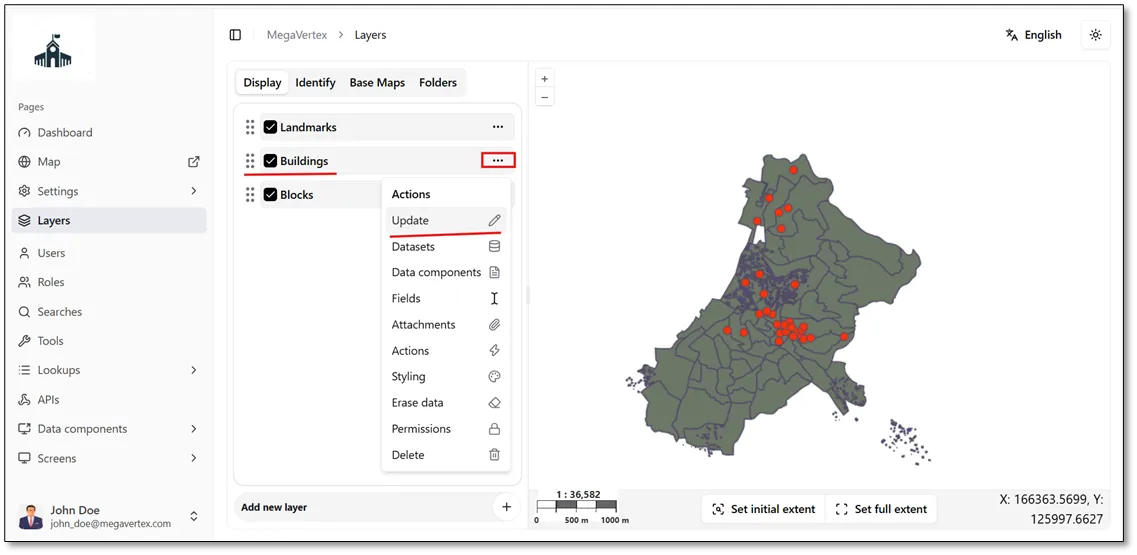
To change a layer's name, click the Actions button  next to the layer and select Update
 , as shown in the figure below.
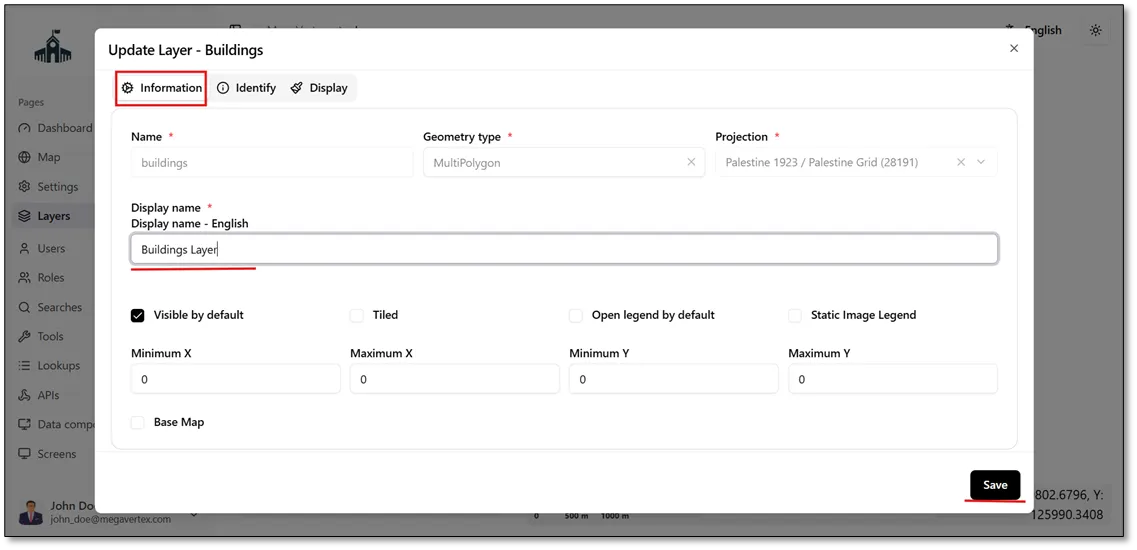
In the Information tab, enter the layer name in the local language. You can also specify the layer name in a foreign language, if required.
Fields marked with * are required.
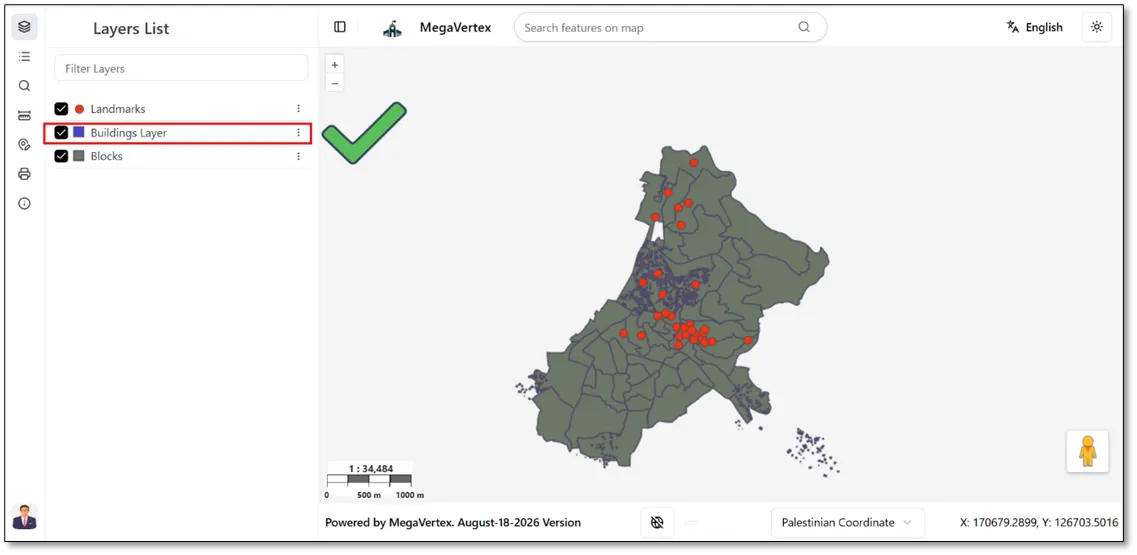
Navigate to the Map page to verify that the layer name has been updated successfully.