Localizations Management
1 min
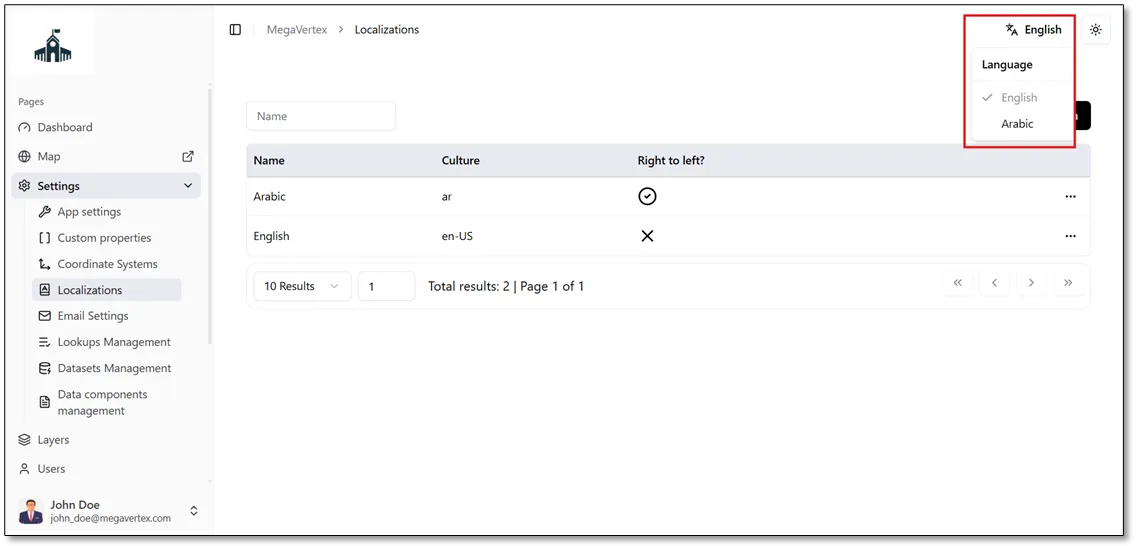
Users can change the application's interface language by selecting their preferred language from the language selector in the navigation bar (Navbar), as shown in the figure below. This allows users to switch between the available languages, including local and foreign languages.
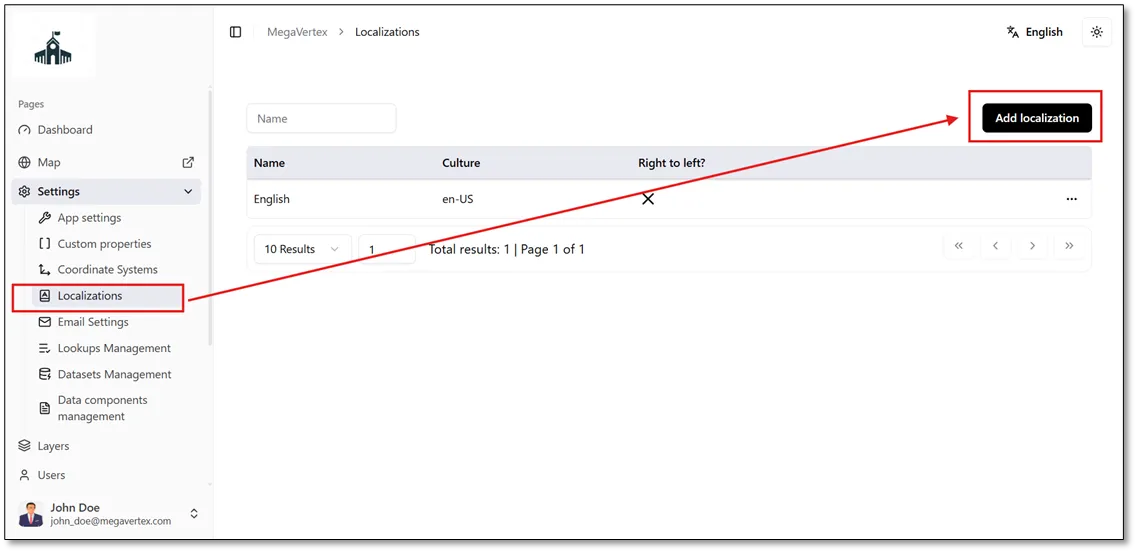
Click the Add Localization button to add a new language to the application.
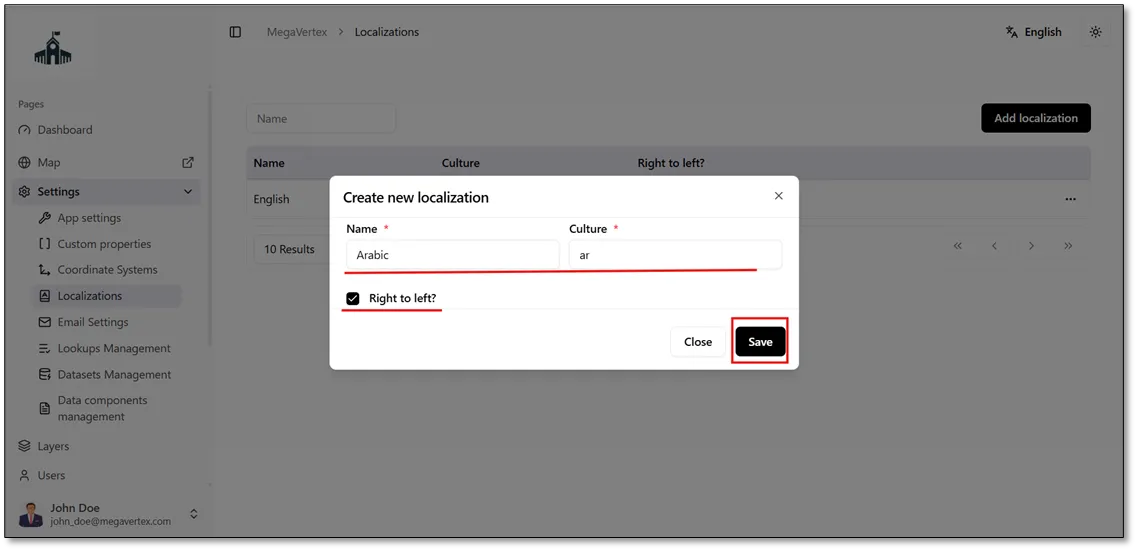
Once the new language has been added, users can switch the application’s interface language using the language selector in the navigation bar (Navbar), as shown in the figure below.
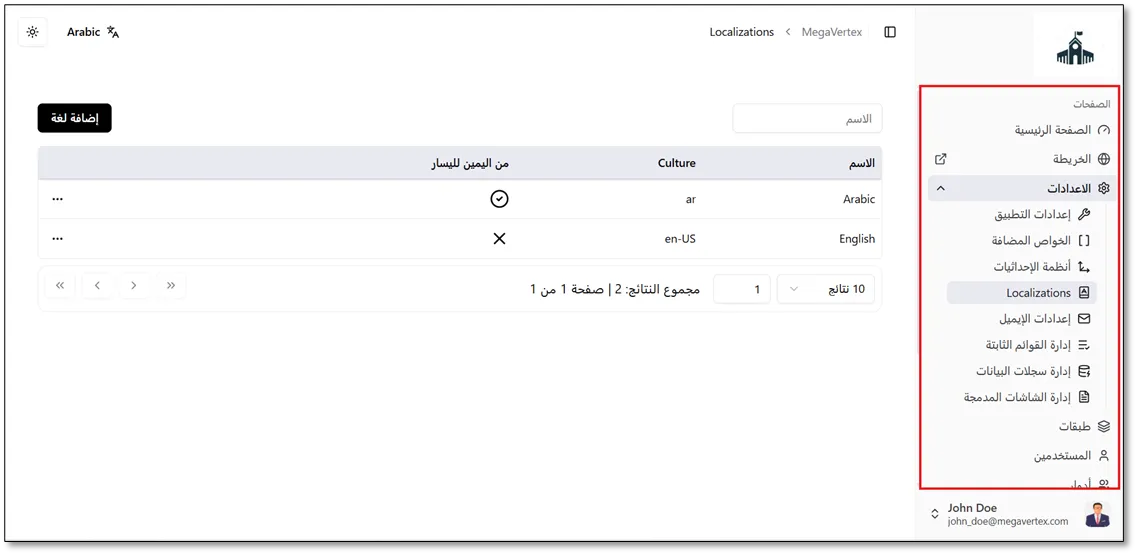
The result below shows that the application’s interface language has been changed successfully.