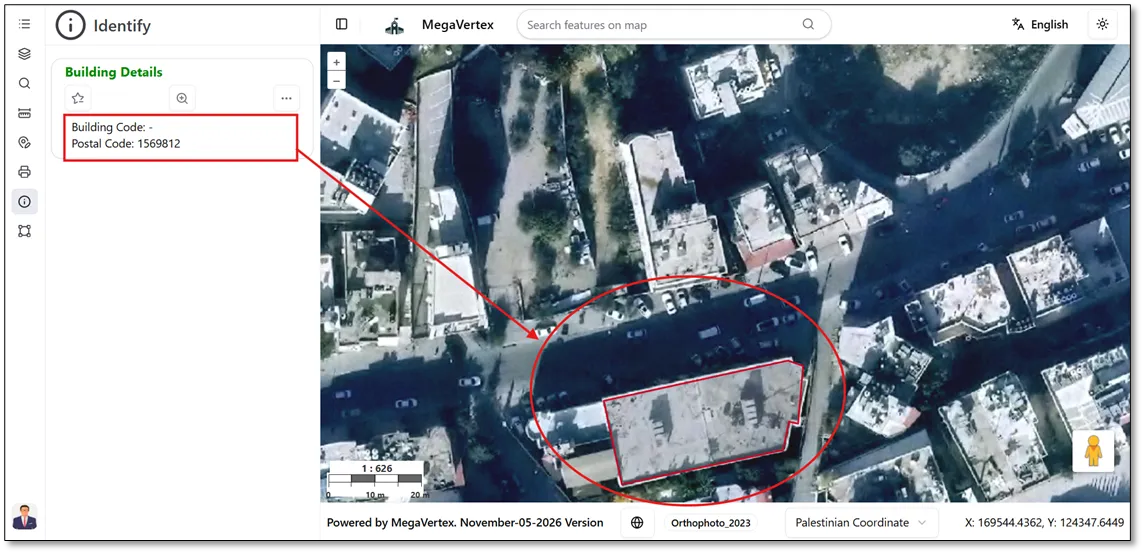
Layer Field Required for Editing
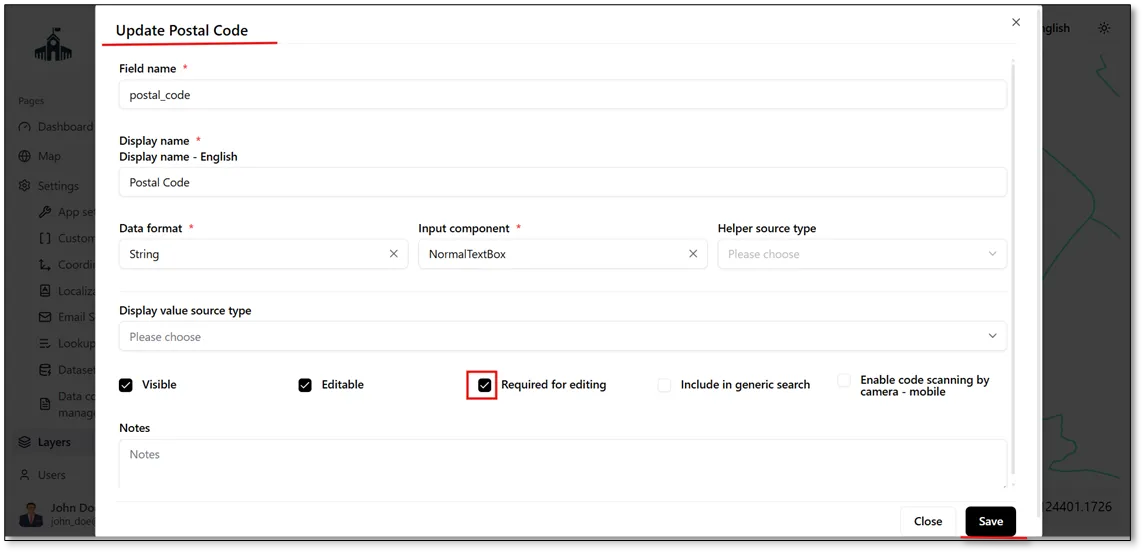
To specify whether a field is mandatory during editing, enable the Required for Editing checkbox.  Once enabled, the field becomes mandatory when adding a new feature to the map.
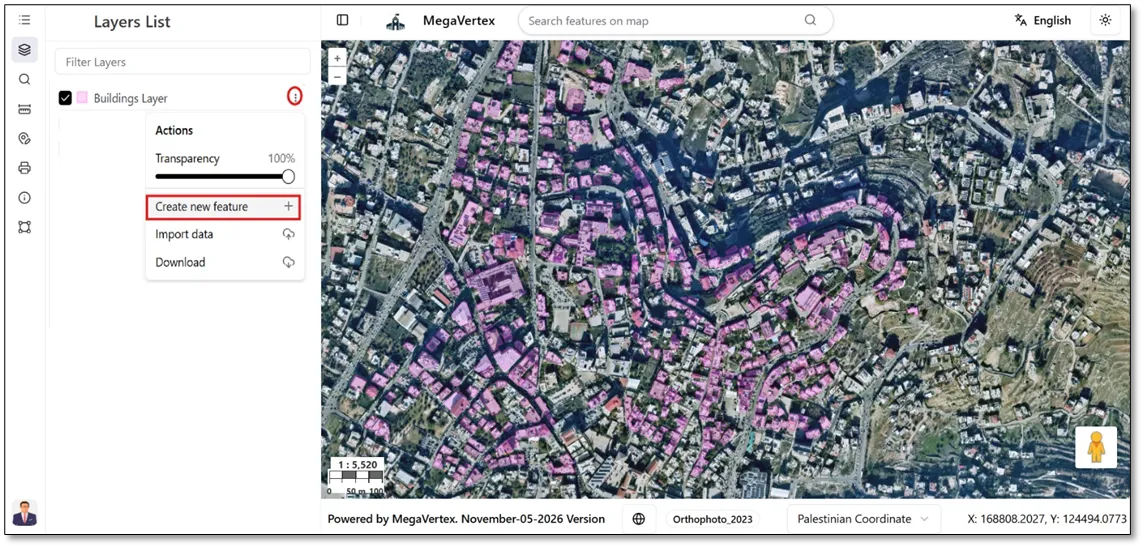
The Effect on the Map When Adding a New Feature to the Layer, to add a new feature to a specific layer, click the Actions button  , then select Create New Feature
 , as shown in the figure below.
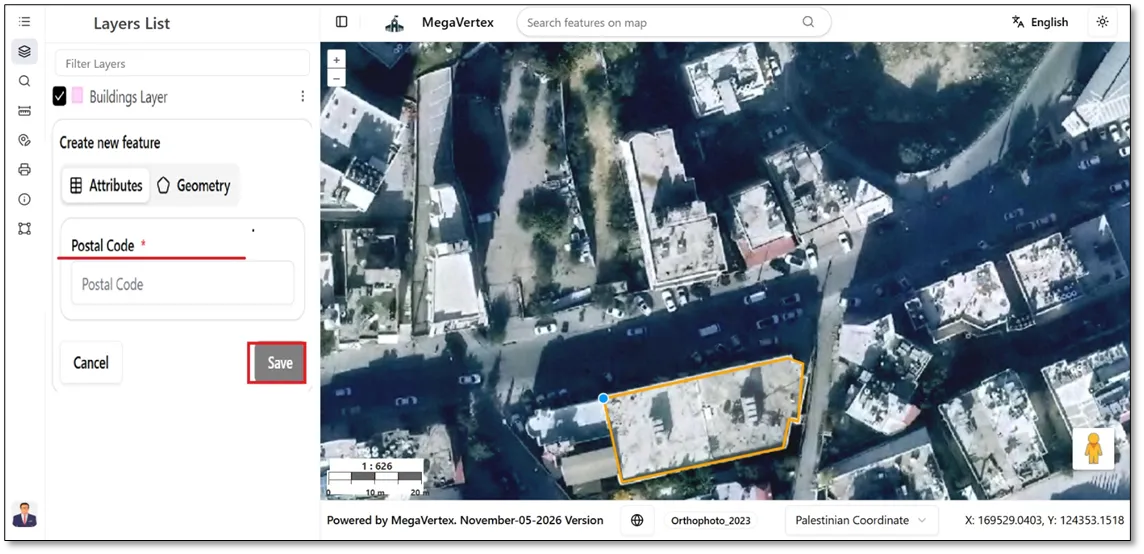
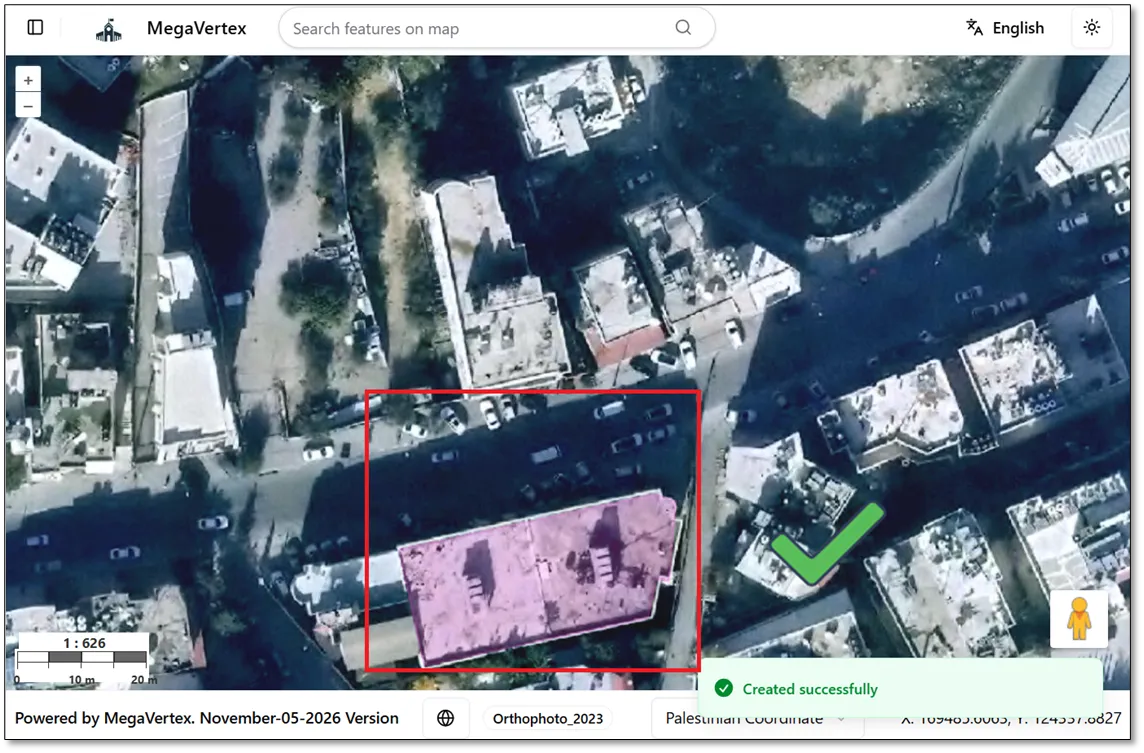
After selecting Create New Feature, you must define the feature geometry according to its type: draw the boundary for a polygon feature, specify the location for a point feature, or draw a line for a line feature. Then, fill in all required fields, as shown in the figure below, and click the Save button to complete the process.
The feature has been successfully created.
Since the postal code field is marked as Required for Editing, it cannot be left empty when creating or editing a feature.