Layer Field Editability
1 min
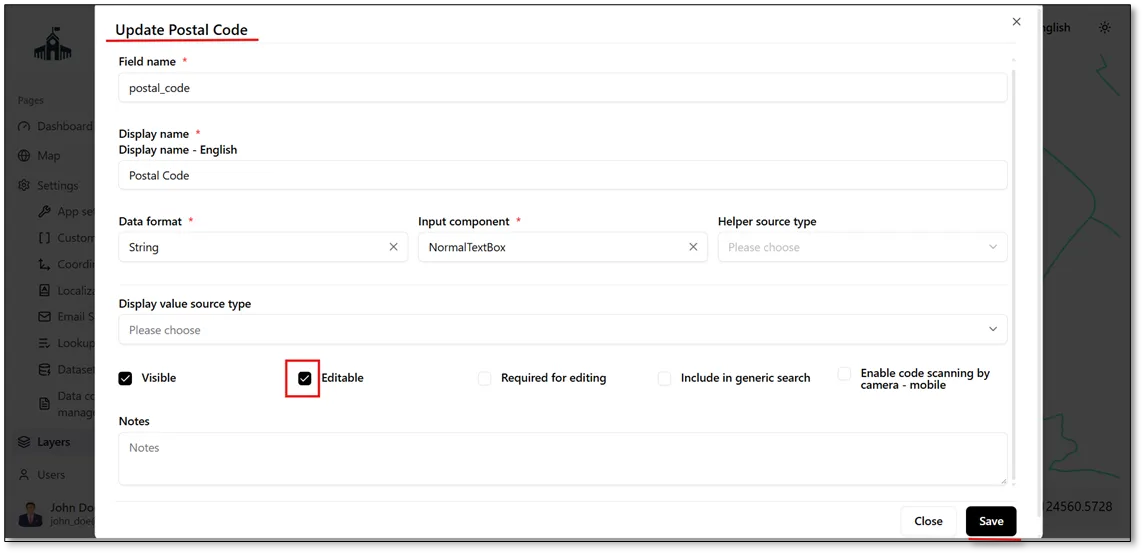
When the Editable checkbox is enabled for a field, the field becomes editable, allowing users to modify its data directly on the map, as shown in the figure below.
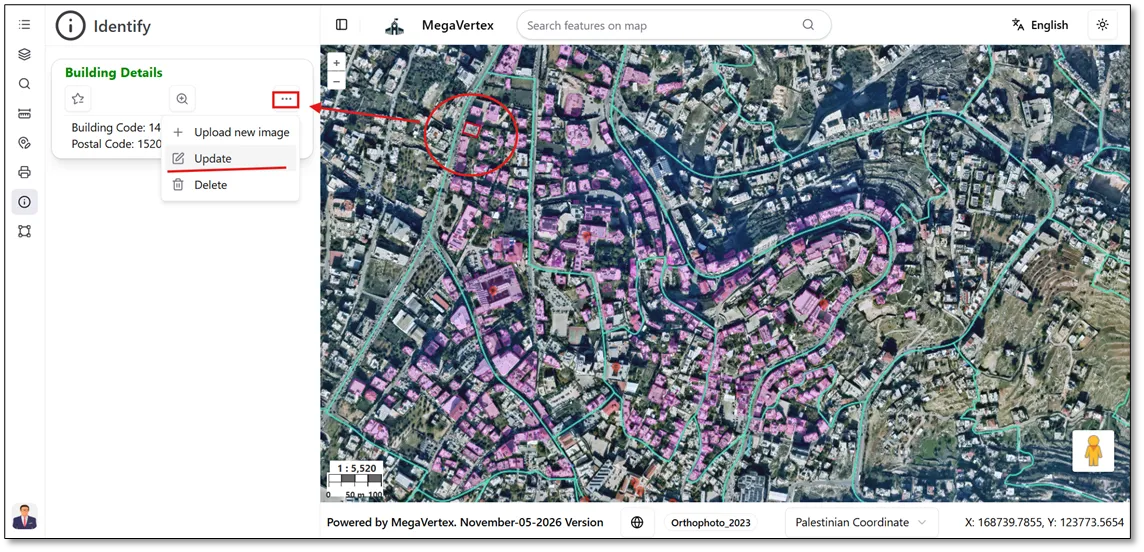
To edit the field data, navigate to the map and select a feature from the required layer. Then, click the Action button  in the Identify section and select the Update icon
 to modify the field value, as shown in the figure below.
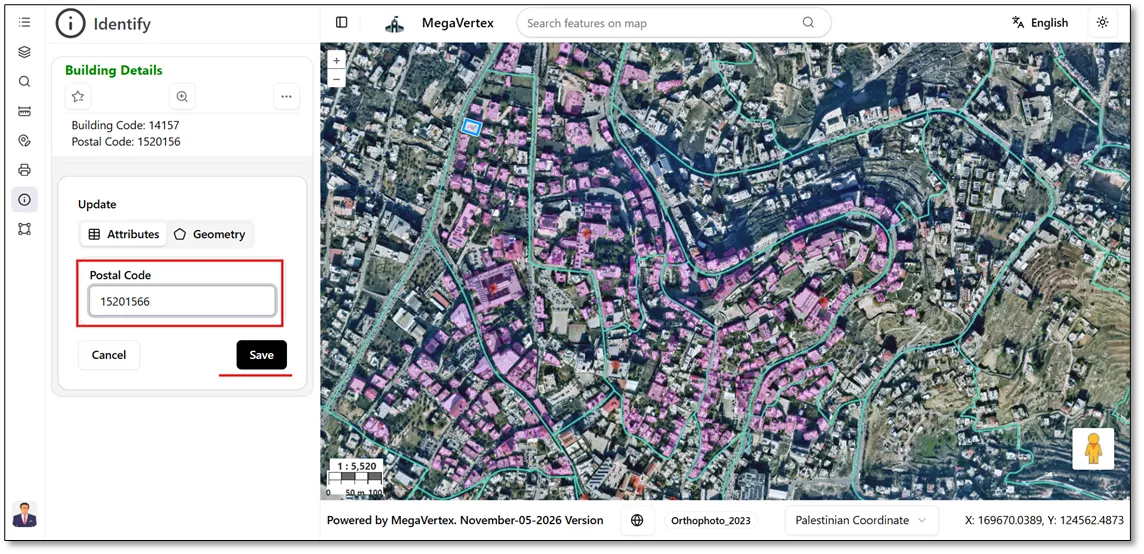
You can update the postal code value and then click the Save button to apply the changes, as shown in the figure below.
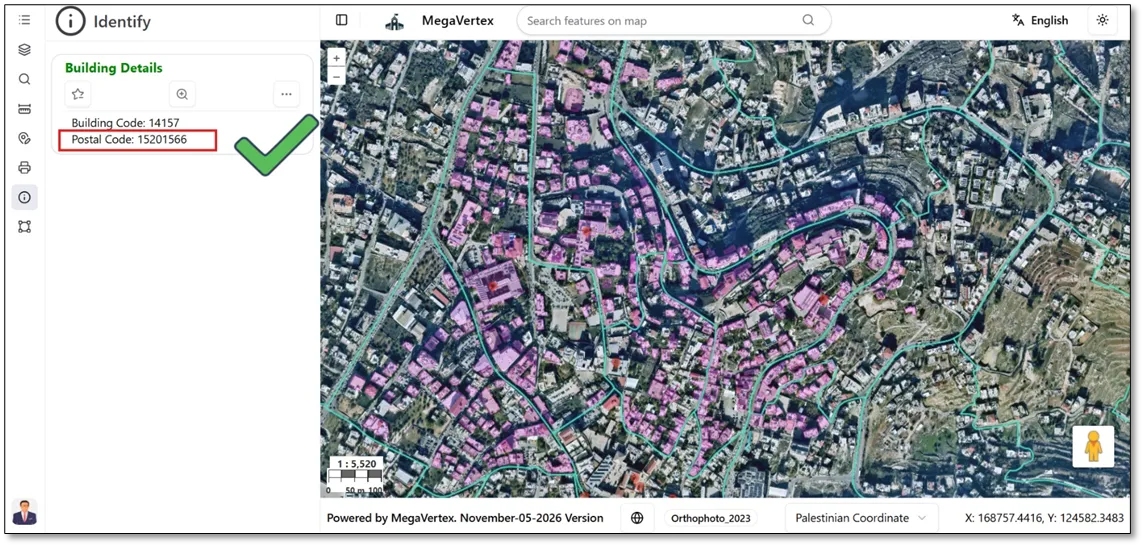
The building's postal code has been successfully updated.