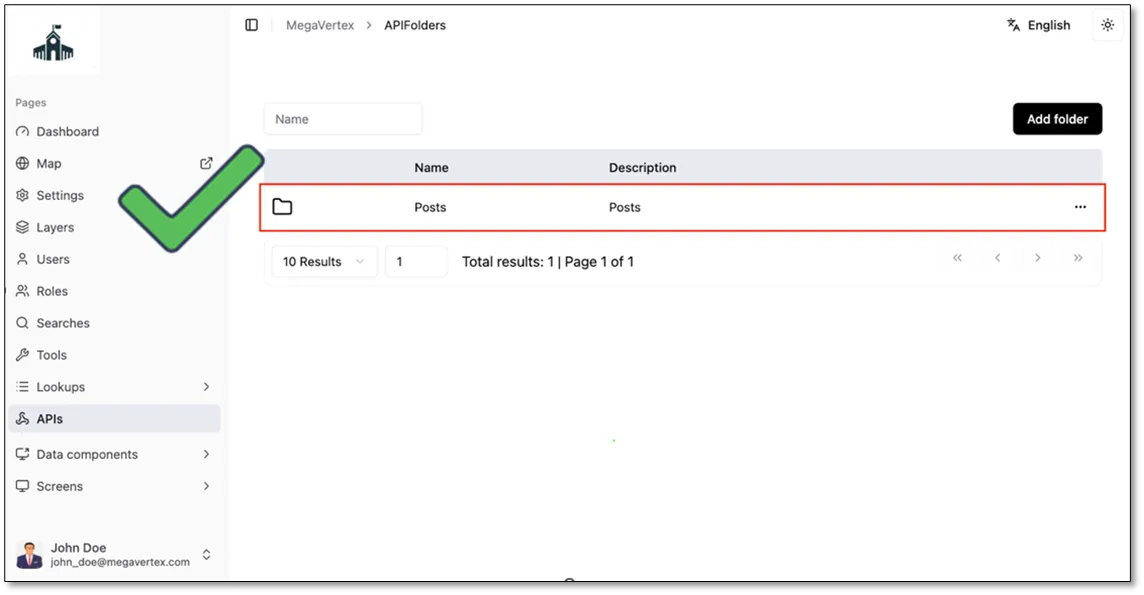
API Folder
2 min
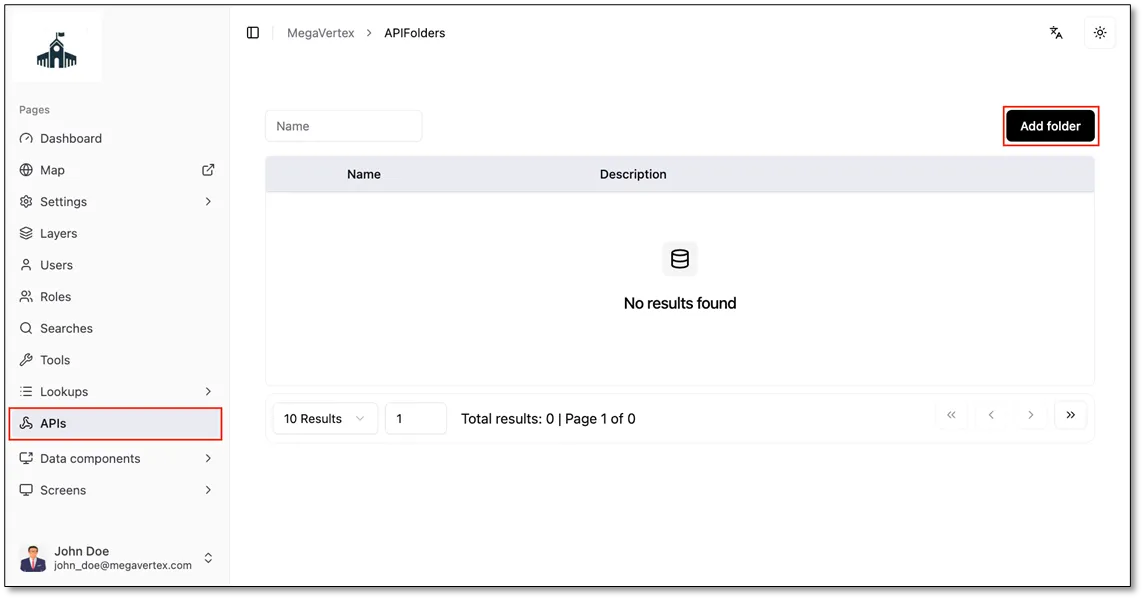
To create a folder, go to the APIs page and click the Add Folder button.
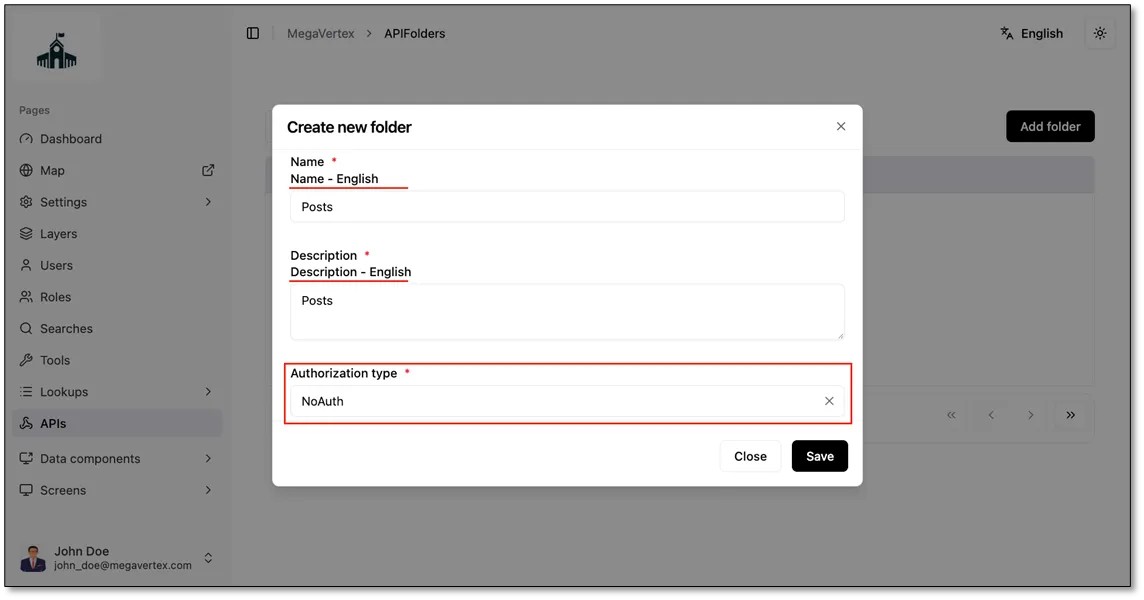
In the form that opens, fill in the following fields:
- Folder Name: a name for the folder.
- Folder Description: a short description of what the folder contains.
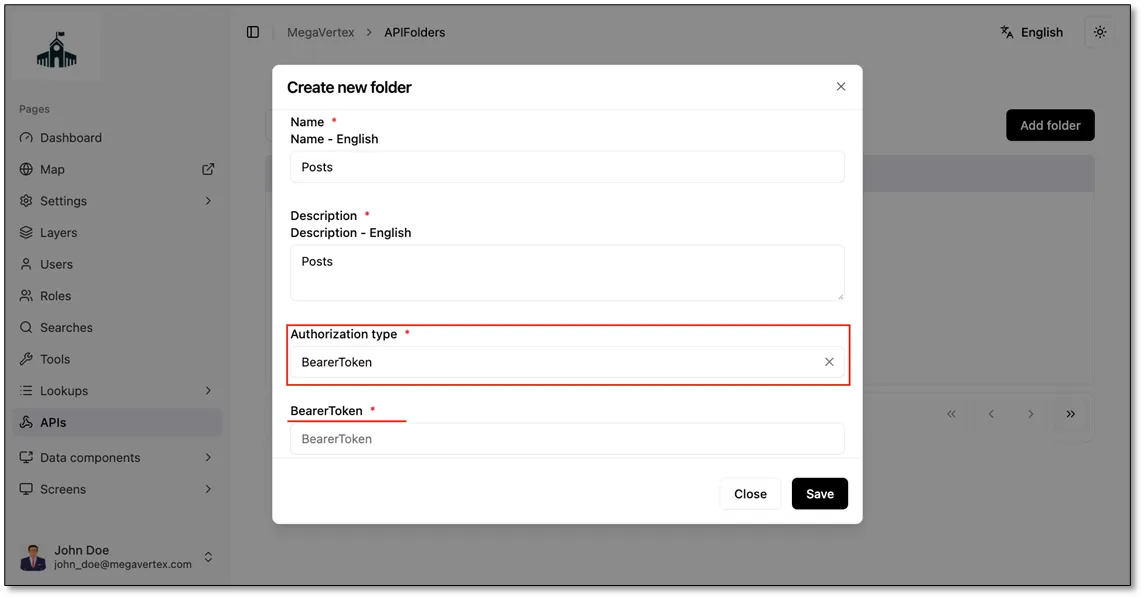
- Authorization Type: the authorization method for the APIs in this folder.
NoAuth: select this if no authorization is required.
BearerToken: select this if the APIs require a bearer token, then paste the token into the BearerToken field.
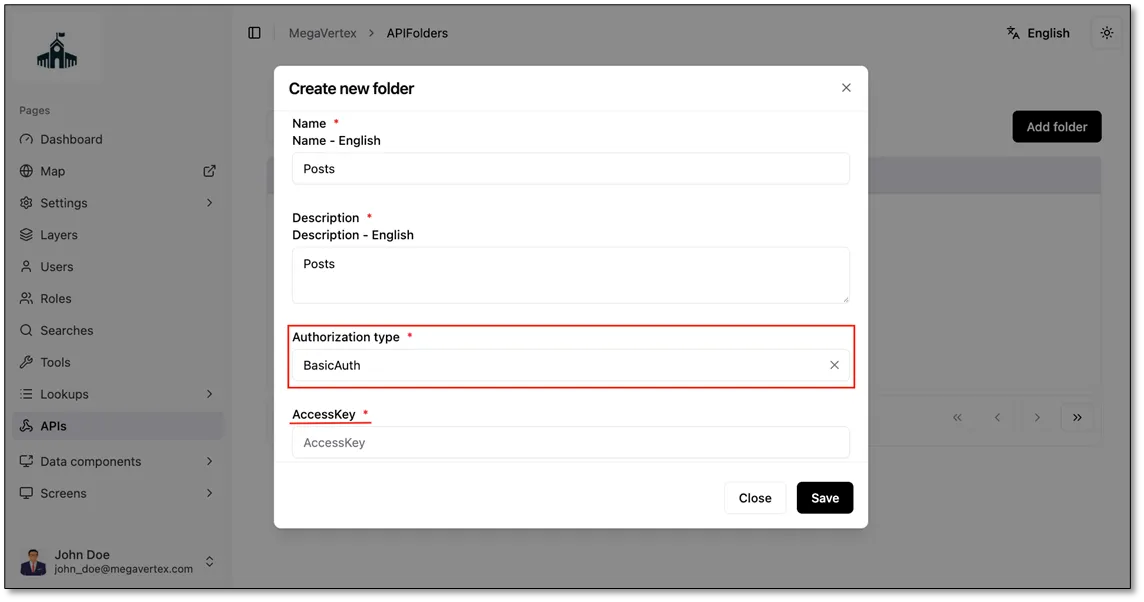
BasicAuth: select this if the APIs use basic authentication, then paste the token into the AccessKey
field.
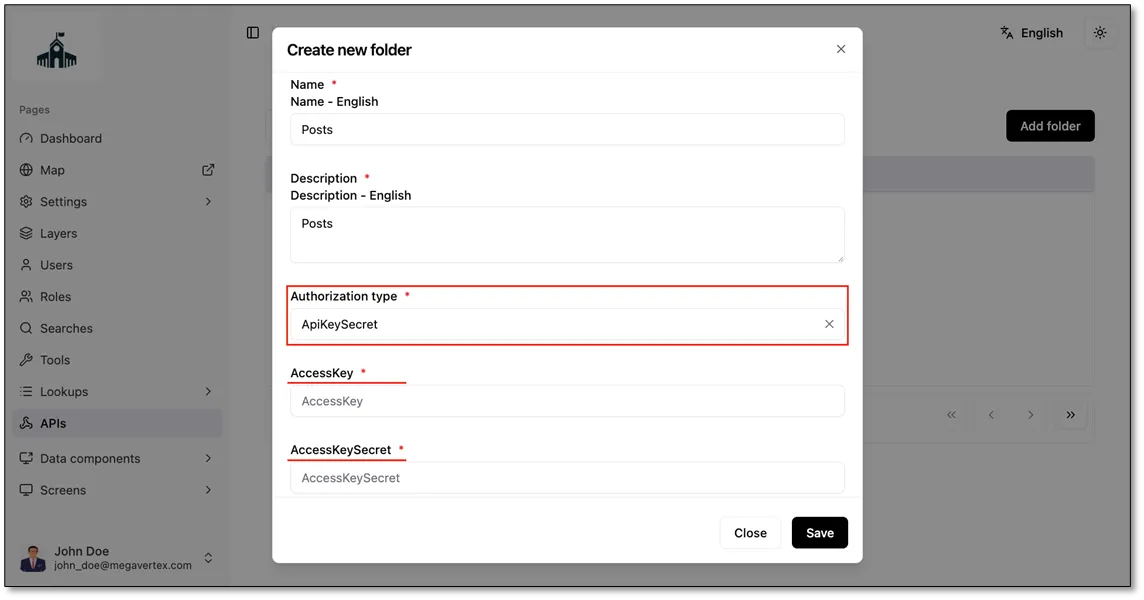
ApiKeySecret: select this if the APIs require an API key and secret, then paste the access key into the AccessKey field and the secret key into the AccessKeySecret field.
click save