Rename Tools
1 min
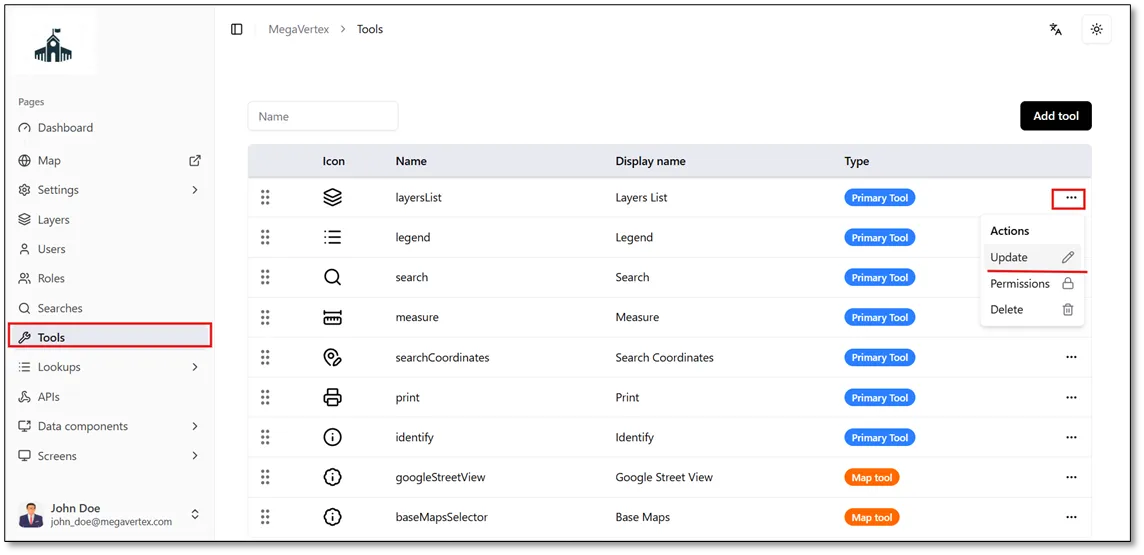
On the Tools page, you will find a list of tools available in the application. To edit a tool’s name, click the Actions button  next to the desired tool and select Update
 , as shown in the figure below.
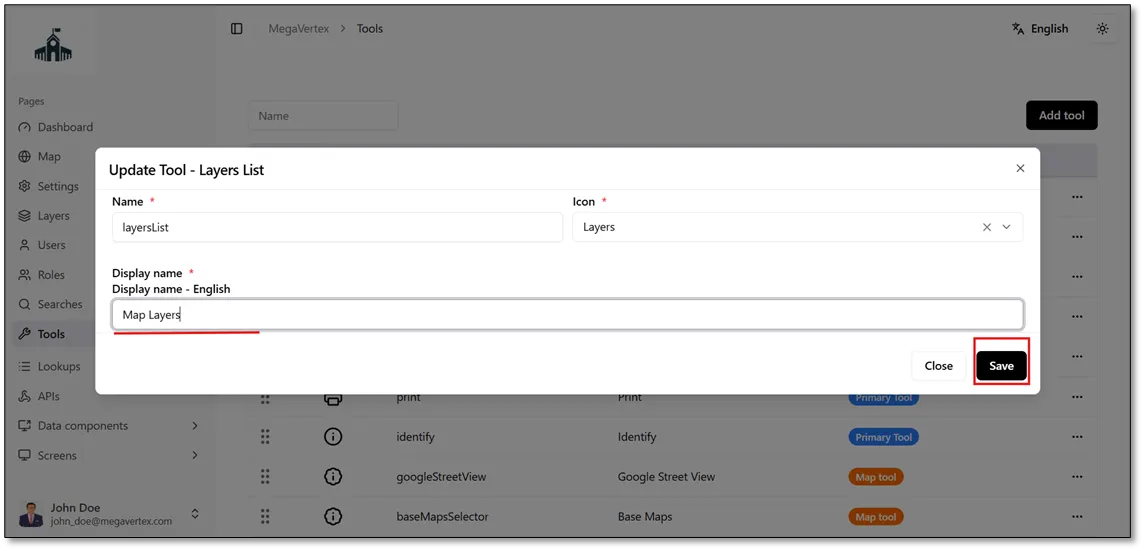
The Update Tool form opens, allowing you to modify the tool’s name as needed.
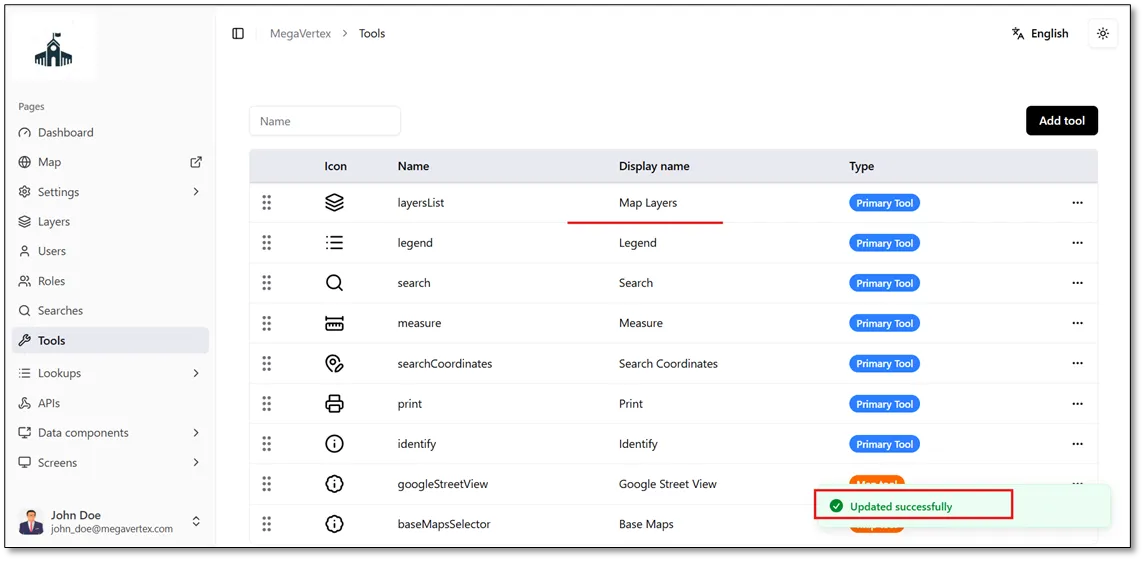
As shown in the figure below, the tool’s display name has been successfully changed to Map Layers.
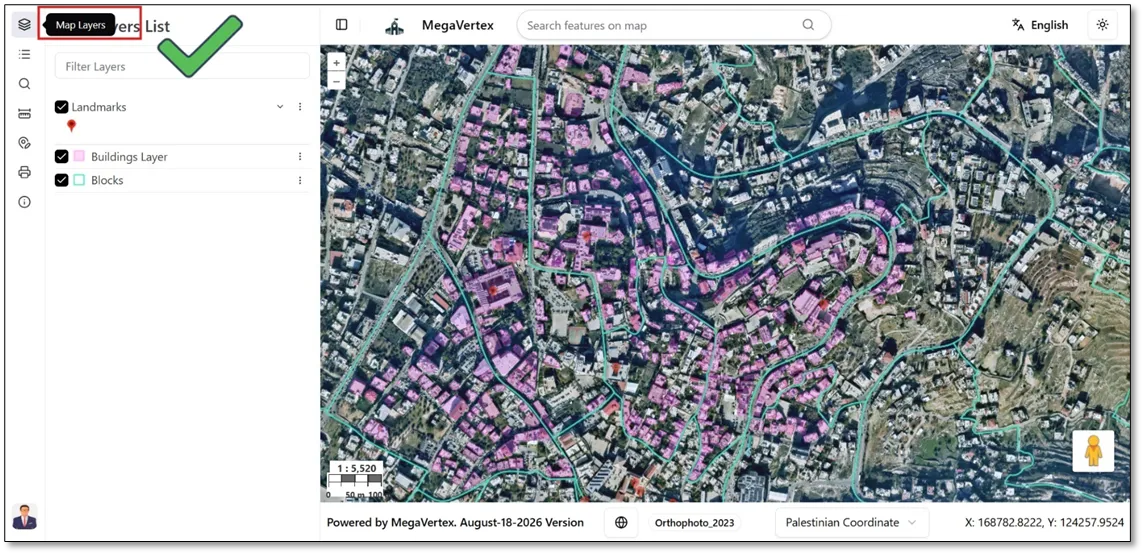
When you hover over the Map Layers button  , the updated display name appears, as shown in the figure below.