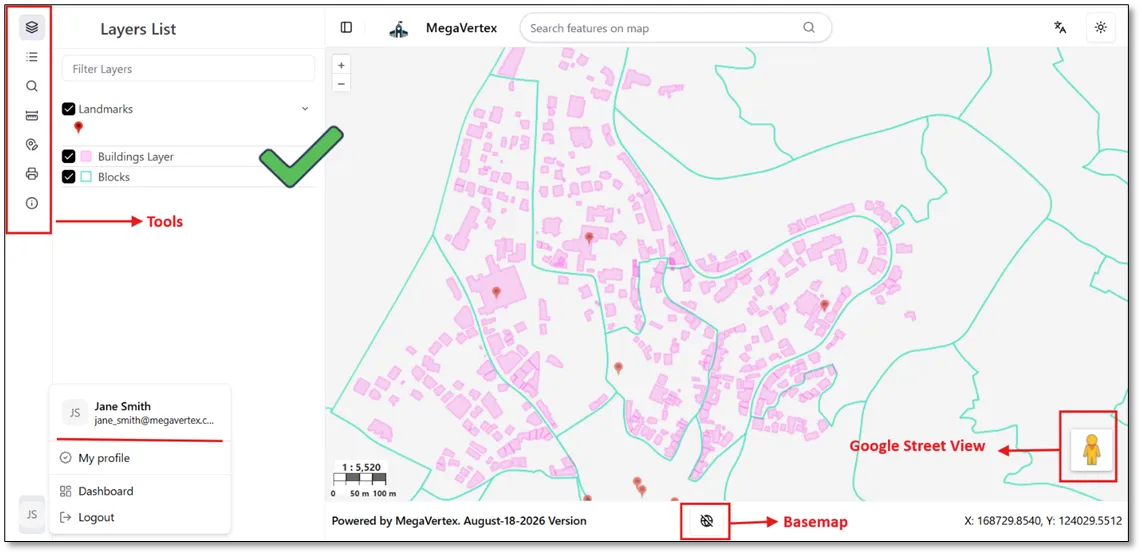
User-Level Permission
To grant a user permission to access a specific tool, follow these steps:
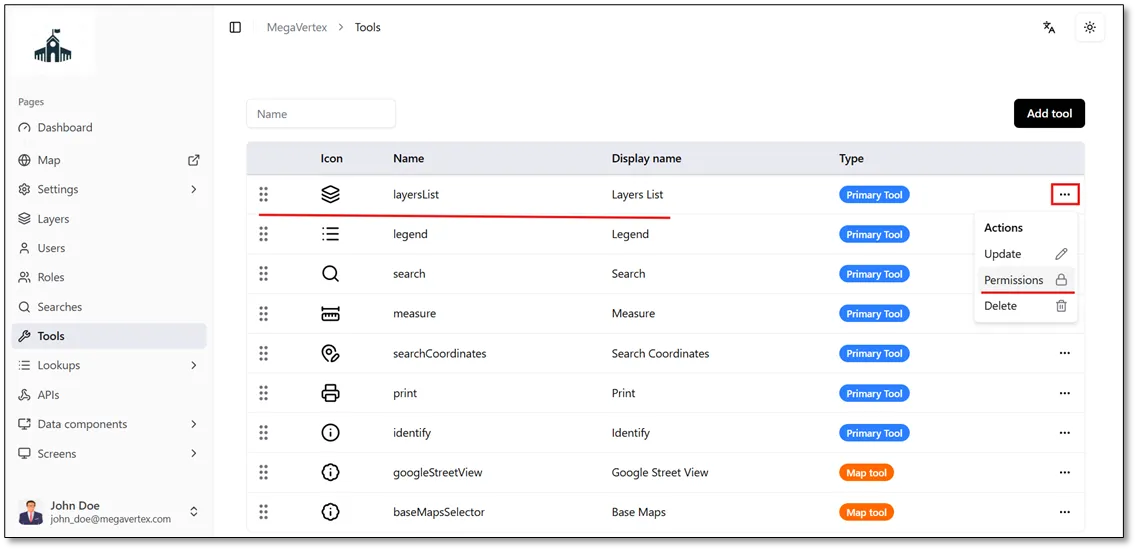
Navigate to the Tools page, click the Actions button  next to the tool you want to configure (the Layers List tool, for example), and select Permissions
 , as shown in the figure below.
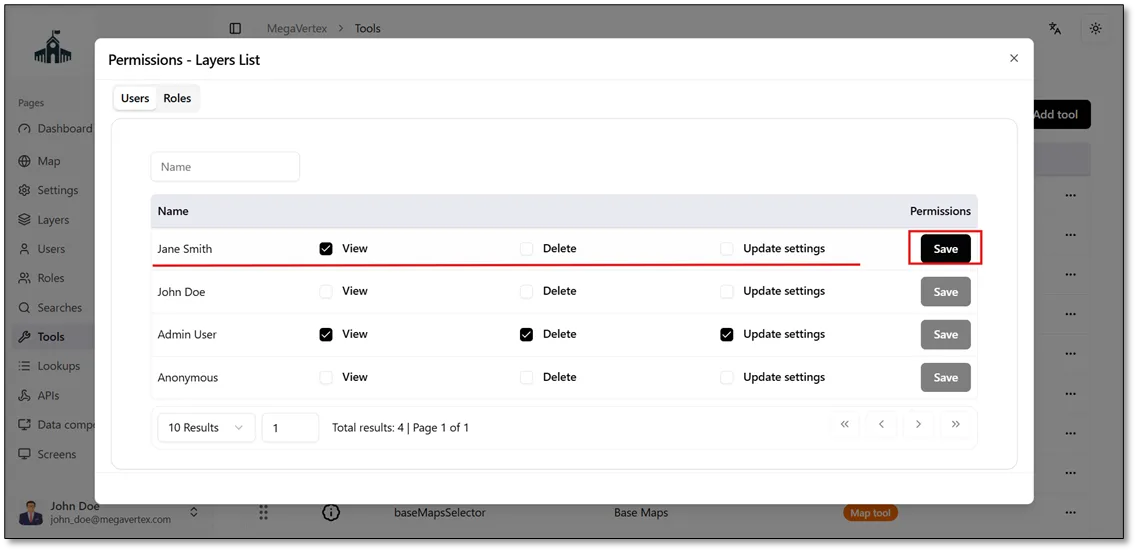
In the Users tab, select the checkbox  next to the user you want to grant access to (Jane Smith in this example). This will allow her to access the Layers List tool. Then, click Save to apply the changes, as shown in the figure below.
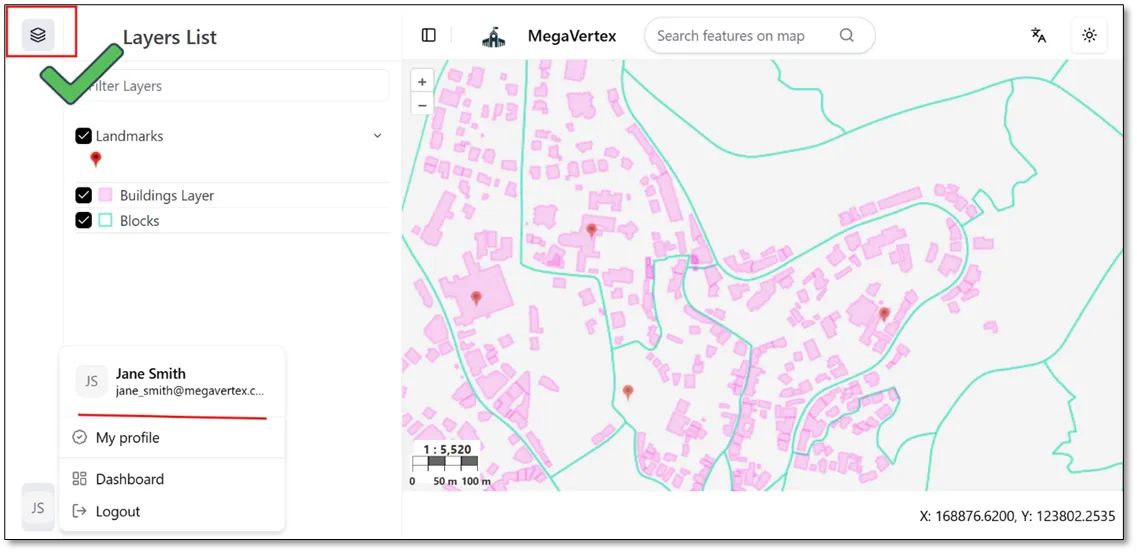
Once Jane Smith is granted permission to access the Layers List tool, the corresponding Layers List button  will appear in her application interface.
The same steps can be repeated to grant Jane Smith permission to access any of the other tools available in the application.